Introduction
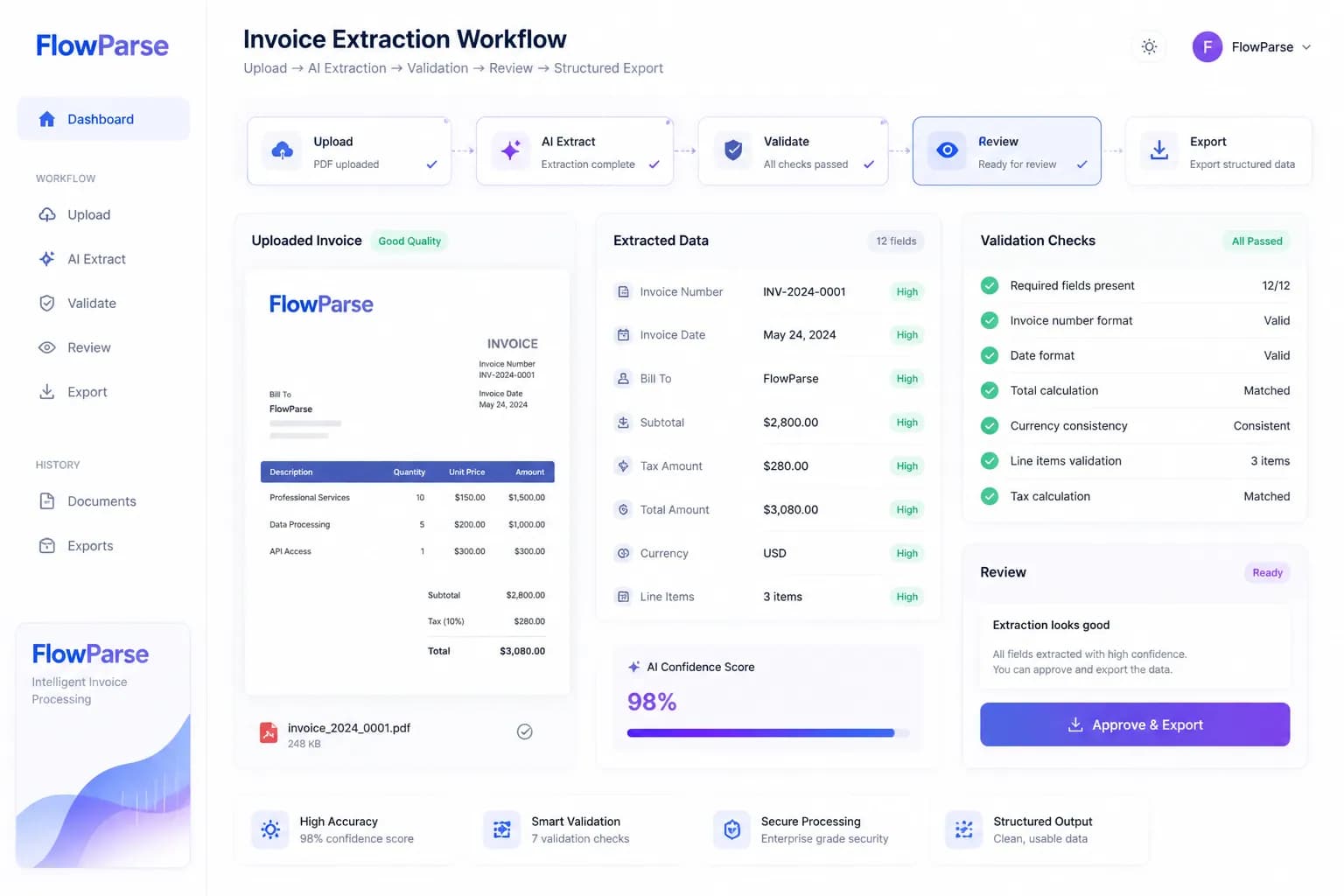
Invoices are the backbone of business accounting — but the data inside them is locked in PDFs designed for printing, not processing. Getting invoice number, supplier, VAT, totals and line items out of that PDF and into a spreadsheet or accounting system is one of the most common, and most tedious, tasks in finance.
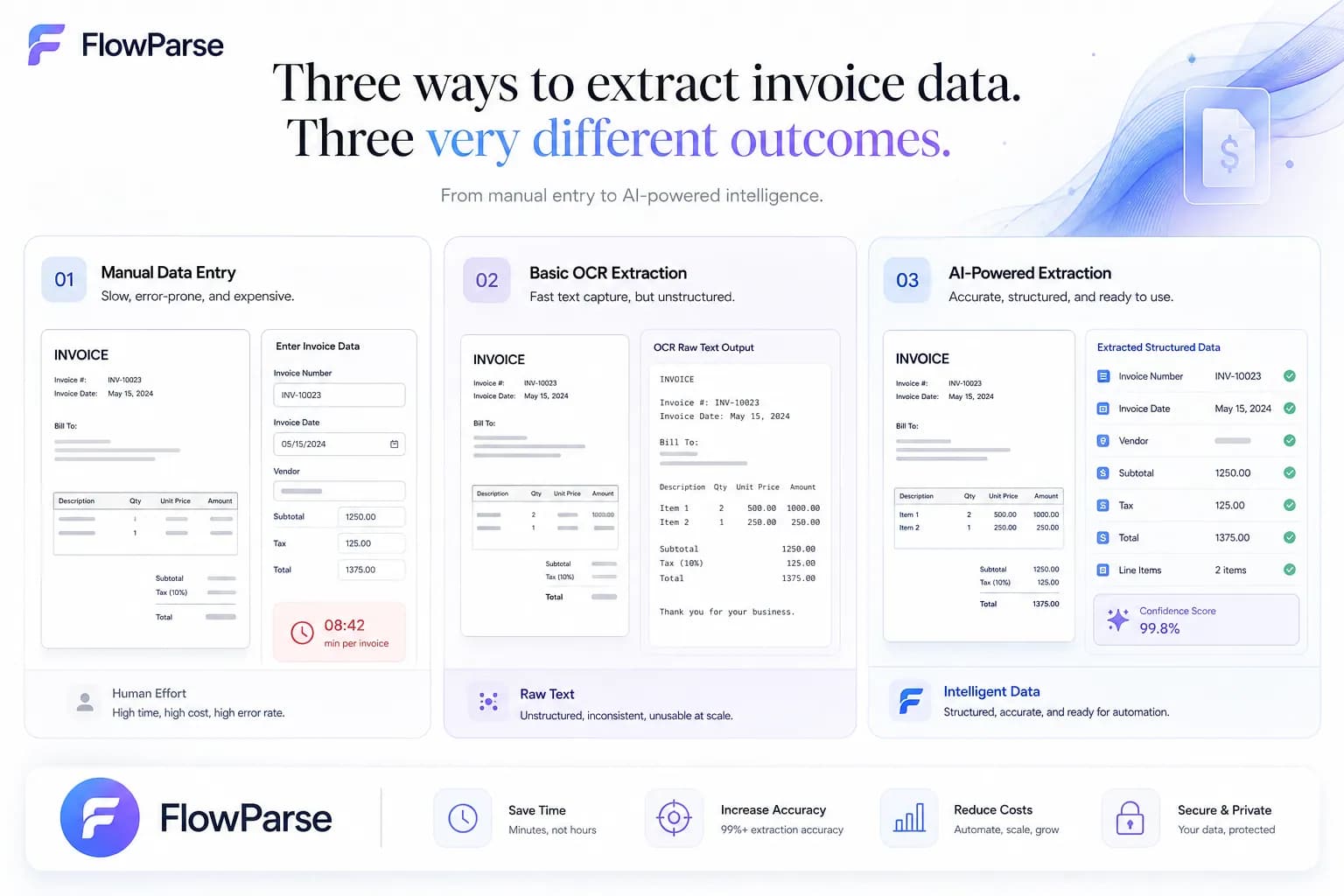
There are three broad ways to do it: by hand, with OCR, or with AI. This guide explains how each works, which invoice fields you can extract, how line items and VAT are handled, the problems you will hit, and the best practices that make extraction reliable at scale.
The goal of invoice data extraction is simple: turn an unstructured PDF into correctly labelled, validated, structured data — without typing it by hand.
What Is Invoice Data Extraction?
Invoice data extraction is the process of identifying and capturing the meaningful information on an invoice and outputting it as structured data. Instead of a human reading the invoice and typing values into a spreadsheet, the fields are located and extracted automatically.
The key word is structured. Raw text from a PDF is not enough — you need to know that “INV-1045” is the invoice number, that “£1,250.00” is the total, and that a block of rows is the line-item table. Good extraction produces labelled fields ready for Excel or your accounting system.
Manual Methods
The traditional method is manual data entry: a person opens each invoice, reads the fields, and types them into a spreadsheet or accounting software. For a handful of invoices a month, this works. Beyond that, it breaks down fast.
Manual entry is slow (2–5 minutes per invoice), error-prone (a mistyped total or VAT number cascades into reconciliation problems), and impossible to scale — every new supplier or client adds hours of work. It is also the task staff dislike most, which makes it a retention problem as well as a cost.
OCR Methods
OCR (Optical Character Recognition) reads the text inside a scanned or image-based invoice and converts it into machine-readable characters. This is essential for scanned PDFs and photos, which contain no selectable text at all.
OCR is a major step up from manual entry for scanned documents — but on its own it produces raw text, not structured fields. It tells you what characters exist, not what they mean. That is why OCR is best understood as one layer of a complete extraction pipeline, not the whole solution.
AI Methods
AI extraction adds understanding on top of OCR. Instead of just recognizing text, the AI understands the document: it identifies which value is the supplier, which is the VAT number, which numbers form the line-item table, and how they relate. This is what turns recognized text into correctly labelled, structured data.
Crucially, AI extraction is template-free. It adapts to any invoice layout automatically, so there are no per-supplier templates to build or maintain. Upload any invoice — digital or scanned — and the fields are extracted, validated, and ready to export. For most businesses, AI extraction is the fastest, most accurate, and most scalable method.
What Fields Can Be Extracted?
Modern AI extraction captures the full set of invoice fields across four groups:
Invoice information
- Invoice number
- Invoice date
- Due date
- PO number
Parties
- Supplier name & address
- VAT number
- Customer name
- Billing address
Financial
- Subtotal
- VAT amount
- Tax rates
- Invoice total
Payment
- Payment terms
- Bank details
- References
- Currency
Line Item Extraction
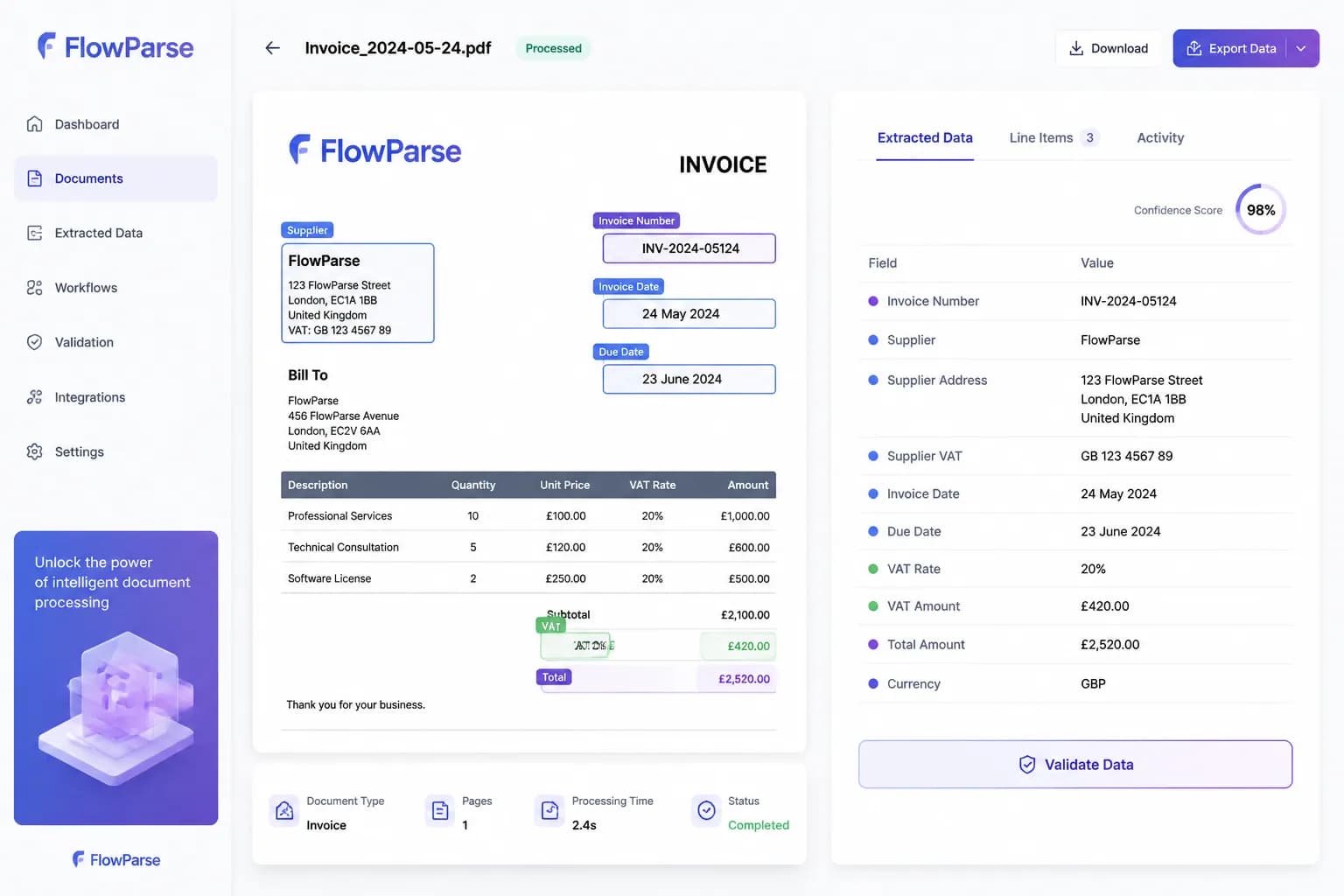
Line items are the most valuable — and most difficult — data on an invoice. They are stored as tables inside the PDF that do not preserve cell boundaries, so naive extraction merges or splits rows. AI line-item extraction detects the column headers first (description, quantity, unit price, VAT rate, total), then maps each cell to the correct column, producing one structured row per line item.
This matters for spend analysis, cost allocation, and accounts payable, where each line may need to be recorded as a separate entry. It also needs to work across pages — long invoices continue their tables onto later pages, and the rows must be merged into one result.
VAT Extraction
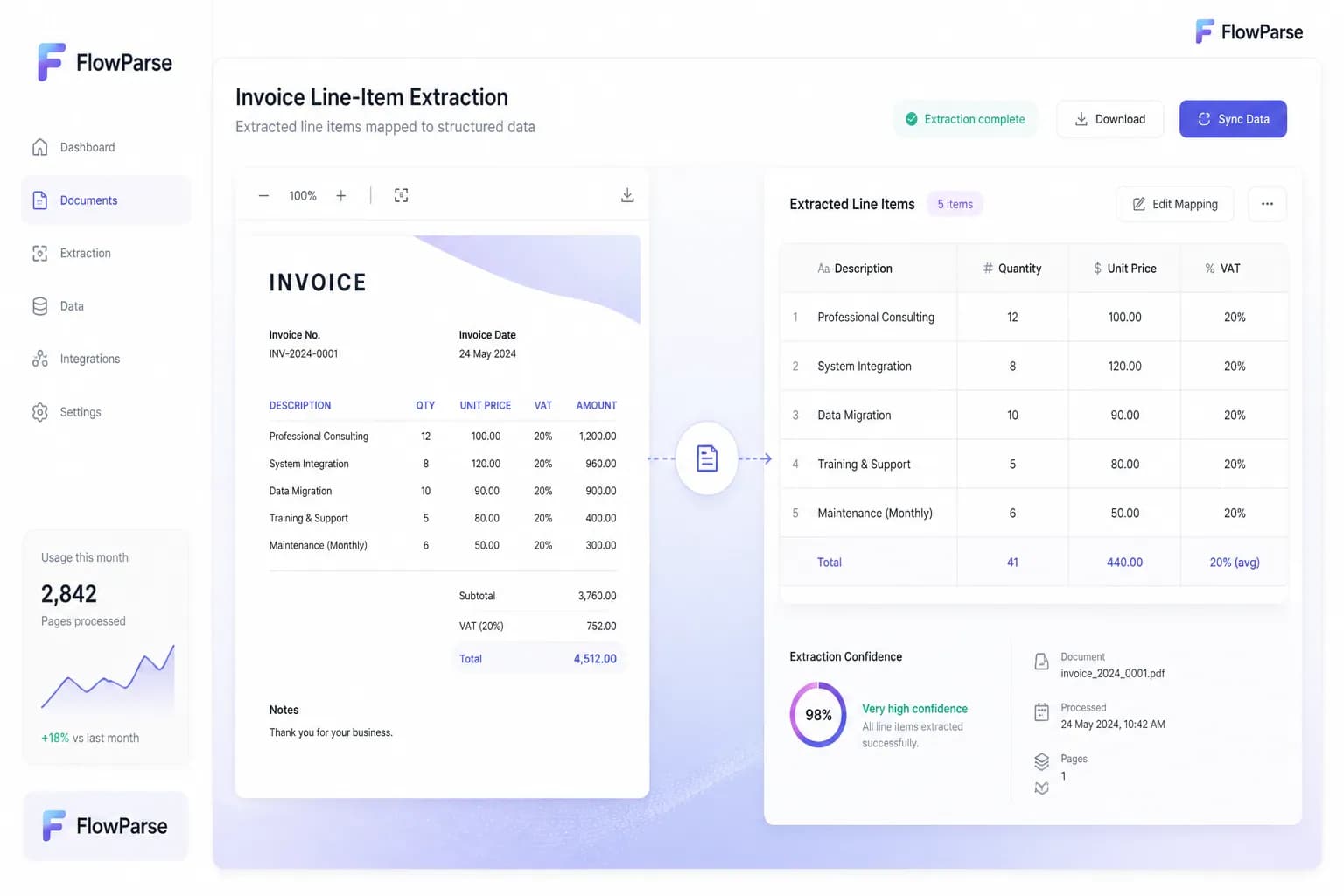
For VAT-registered businesses, accurate VAT extraction is essential for reclaim and compliance. AI extraction captures VAT registration numbers, VAT rates, and per-line and total VAT amounts — handling both inclusive and exclusive VAT formats.
A validation engine then checks that the numbers add up: line totals to subtotal, subtotal plus VAT to the grand total. Catching a VAT discrepancy before export prevents reclaim errors and audit problems down the line.
Common Problems
Varied supplier layouts
Every supplier formats invoices differently, breaking position-based and template extraction.
Scanned and photographed invoices
Image-based invoices have no text layer and need OCR before any extraction can happen.
Broken line-item tables
Tables that span pages or use merged cells get split or duplicated by naive extraction.
VAT and total mismatches
Without validation, a mis-read figure produces data that does not reconcile.
Multi-currency invoices
Cross-border invoices mix currencies and tax rules that simple tools mishandle.
OCR vs AI
OCR asks “what text exists?” AI asks “what does the data mean?” The difference shows up immediately in the output:
OCR output
Invoice No. INV-1045 Total €1,250AI output
Invoice Number = INV-1045 Invoice Total = €1,250 VAT = €250 Tax Rate = 20%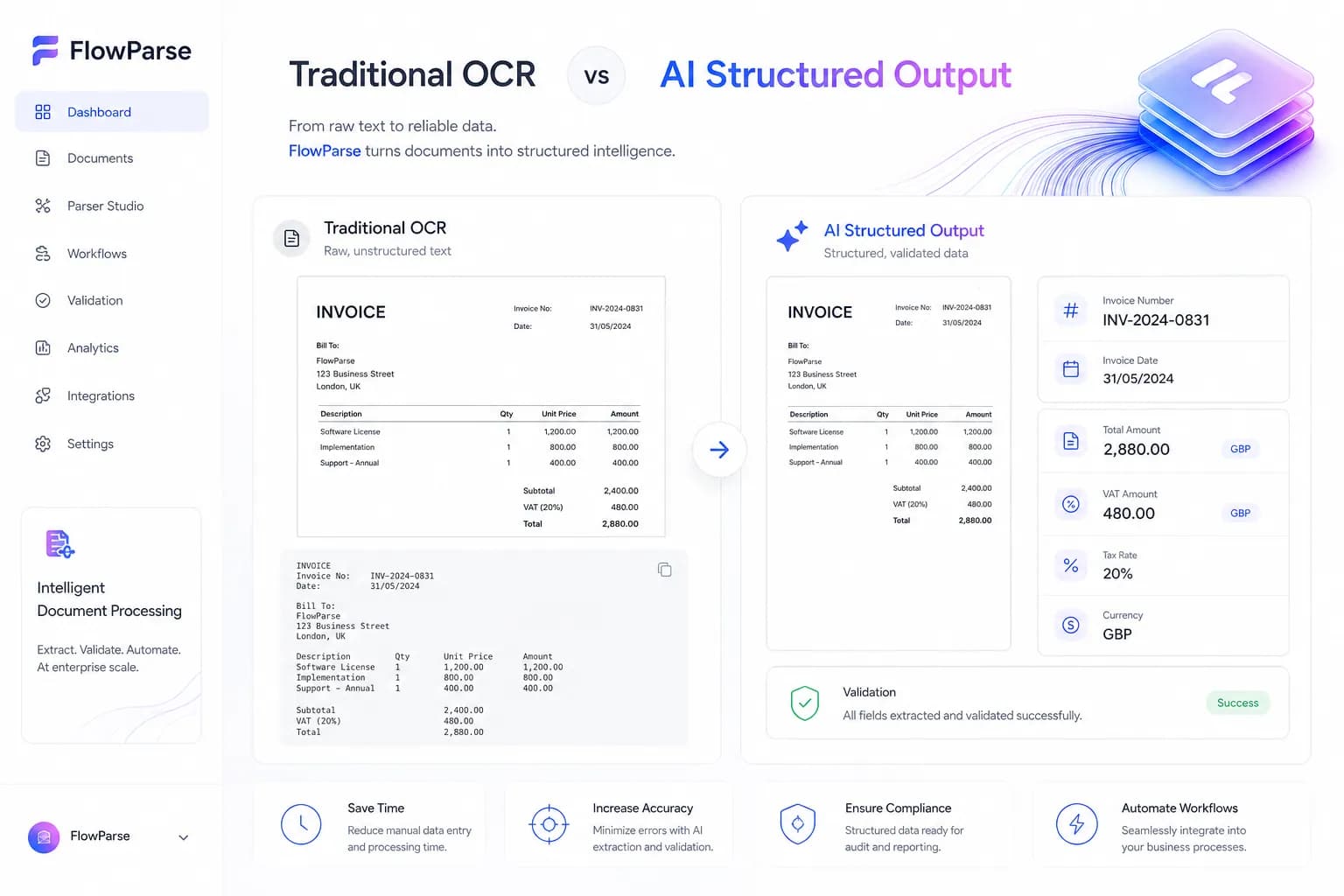
Best Practices