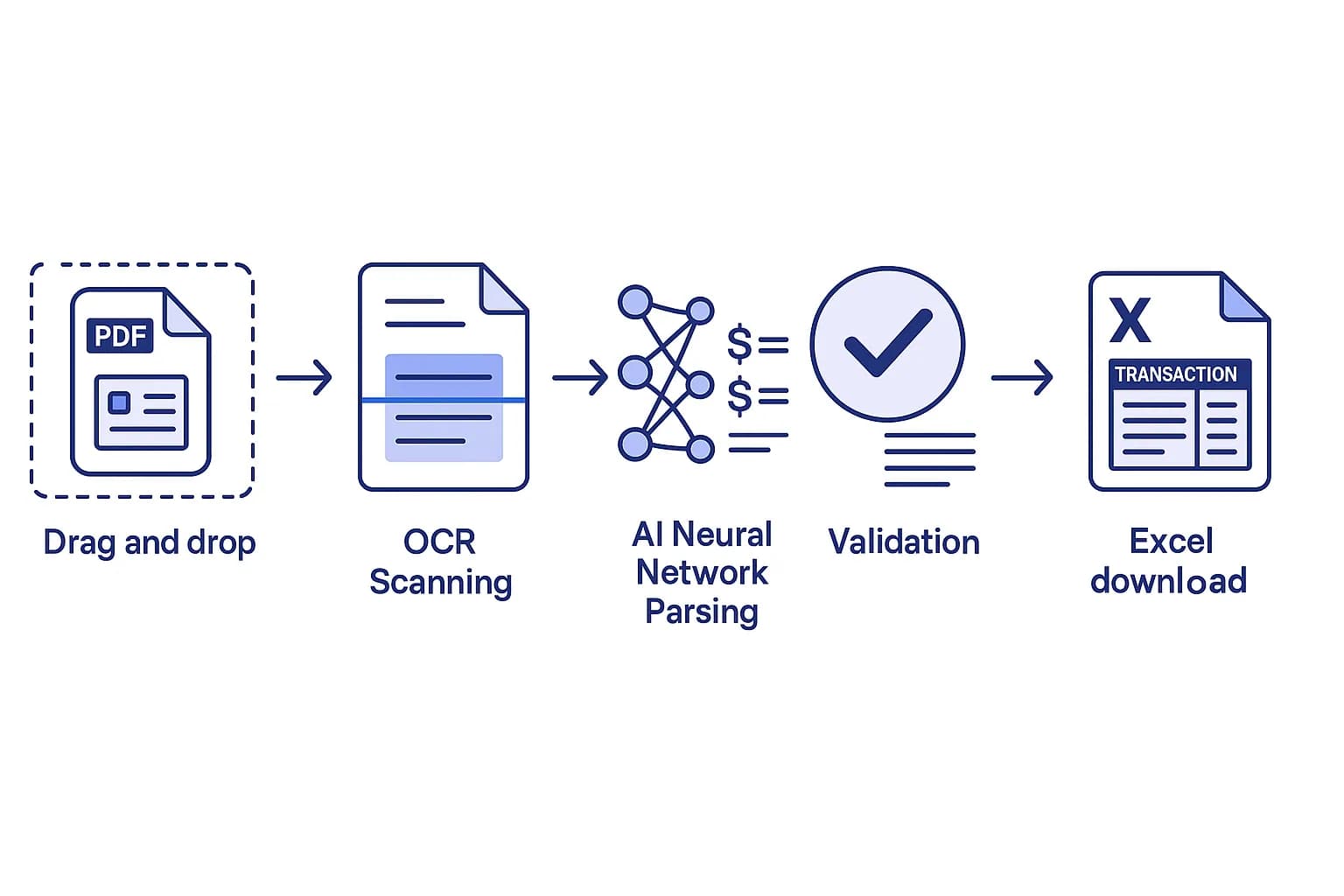
A DocuClipper Alternative
Smart Merge, Free Tier & Pay-Per-Page
DocuClipper is a capable bank statement and invoice converter built around a monthly subscription. FlowParse converts statements from any bank to Excel, CSV, QBO and Xero too — but adds Smart Merge for a whole year in one file, a free no-signup tier to start, and pay-per-page pricing with no monthly commitment.
Teams happy with a monthly subscription and DocuClipper's established workflow.
Anyone who wants to start free, pay per page, and merge a year of statements into one reconciled Excel.
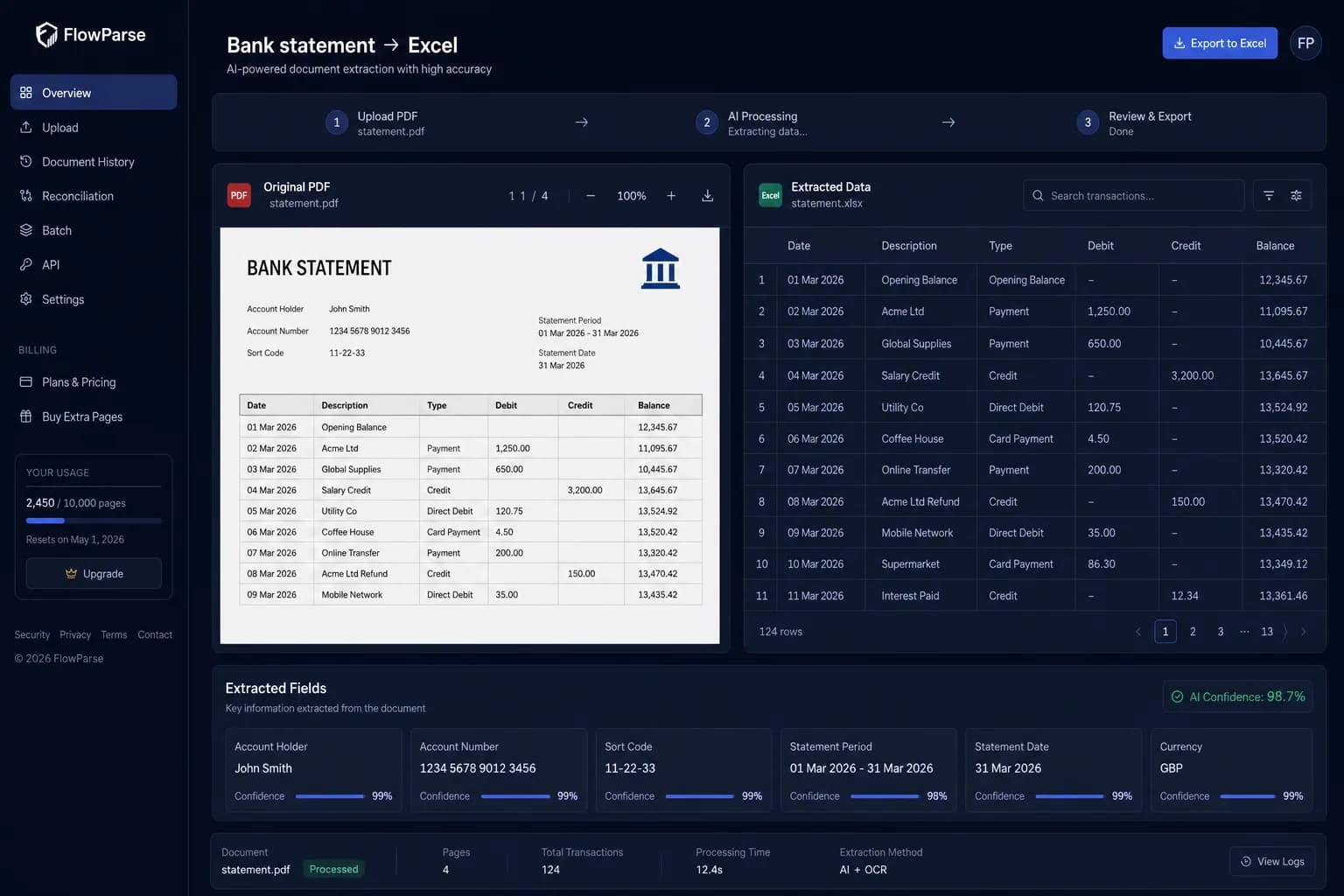
Why Businesses Look for DocuClipper Alternatives
Subscription fatigue
DocuClipper is billed monthly with page allowances; occasional users want to pay only for what they convert.
Consolidating a year
Merging many statements from different banks into one file is the slow part — teams want it automated.
Try before you buy
People want to convert a real statement and see the result before entering payment details.
QBO without lock-in
Accountants want a real .QBO/.QFX/.OFX export without committing to a plan first.
Multi-bank coverage
Teams need any bank's layout read without templates or per-bank setup.
Audit-ready output
Source tracking, duplicate removal and balance validation matter for clean books.
Quick Comparison — DocuClipper vs FlowParse
A feature-by-feature look at DocuClipper and FlowParse.
| Feature | DocuClipper | FlowParse |
|---|---|---|
| PDF bank statement → Excel/CSV | Yes | Yes |
| Real .QBO / .QFX / .OFX export | Yes | Yes |
| Free no-signup tier | No | Yes |
| Pay-per-page (no subscription) | No | Yes |
| Smart Merge — 100 PDFs → 1 Excel | No | Yes |
| Duplicate detection across statements | Limited | Yes |
| Balance validation on export | Yes | Yes |
| Any bank, no templates | Yes | Yes |
| Xero-ready export | Yes | Yes |
| Public API | Yes | Yes |
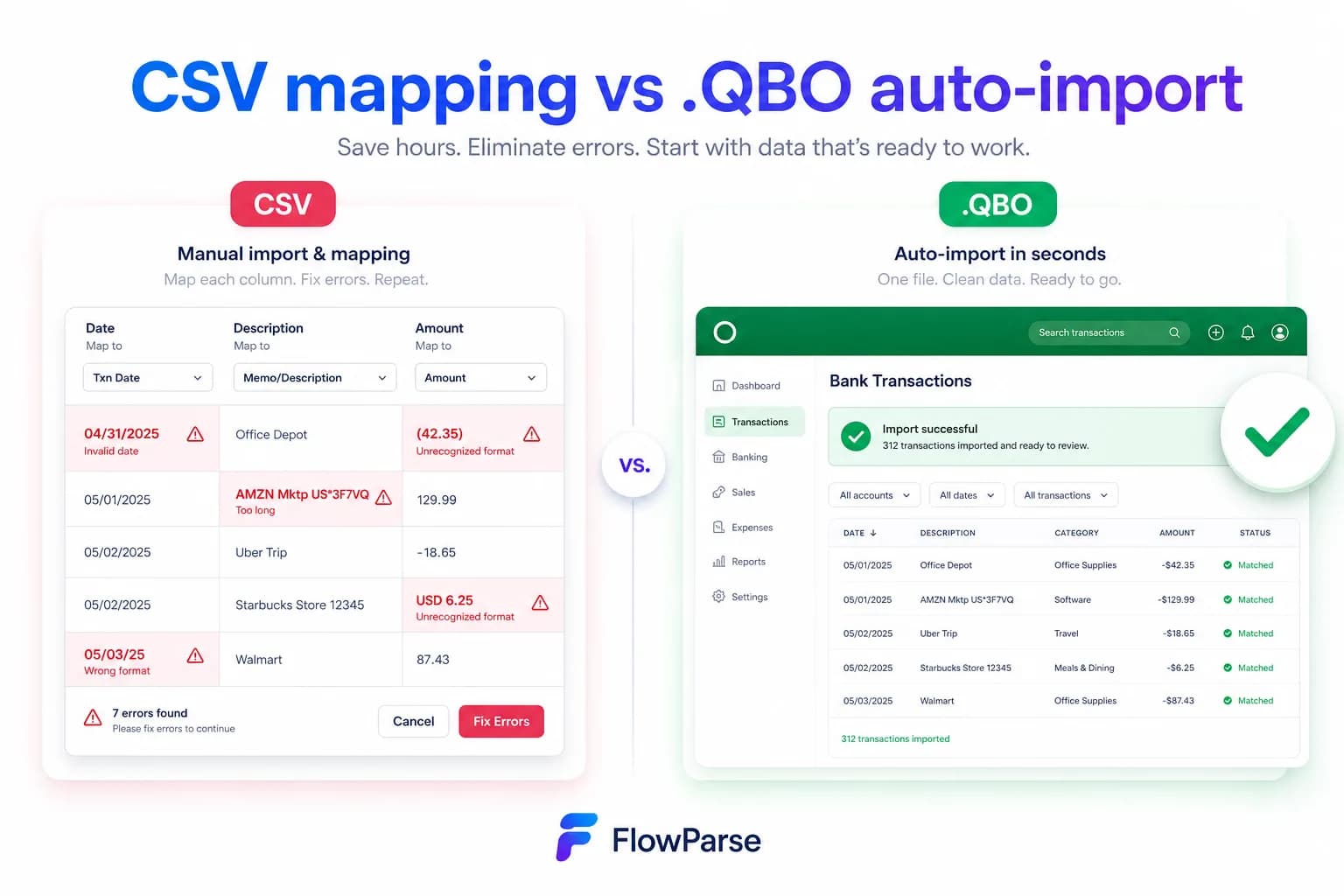
What Is DocuClipper?
DocuClipper is an online OCR tool for converting bank statements, invoices and receipts into spreadsheets and accounting files. It is popular with bookkeepers and accountants and supports exports including Excel, CSV and QBO.
It is sold as a monthly subscription with page allowances tied to the plan. For high, steady volume that model works well; for occasional or seasonal conversion, or for someone who just needs to convert one statement, a subscription is more than they need.
FlowParse covers the same core job — any bank's PDF to Excel, CSV, QBO or Xero — and adds three things DocuClipper doesn't: a free no-signup tier, pay-per-page pricing, and Smart Merge for consolidating a whole year into one reconciled workbook.
DocuClipper strengths
- Solid bank statement and invoice OCR
- QBO and accounting exports
- Established, accountant-focused workflow
- Batch processing
Where teams want something different
- Monthly subscription with page limits
- No free no-signup tier to try first
- Consolidating many statements is still manual
- Per-page economics don't suit occasional users
Why Teams Switch to FlowParse
Start free
Convert a real statement with no signup before you pay anything.
Pay per page
No monthly commitment — top up and pay only for what you convert.
Smart Merge
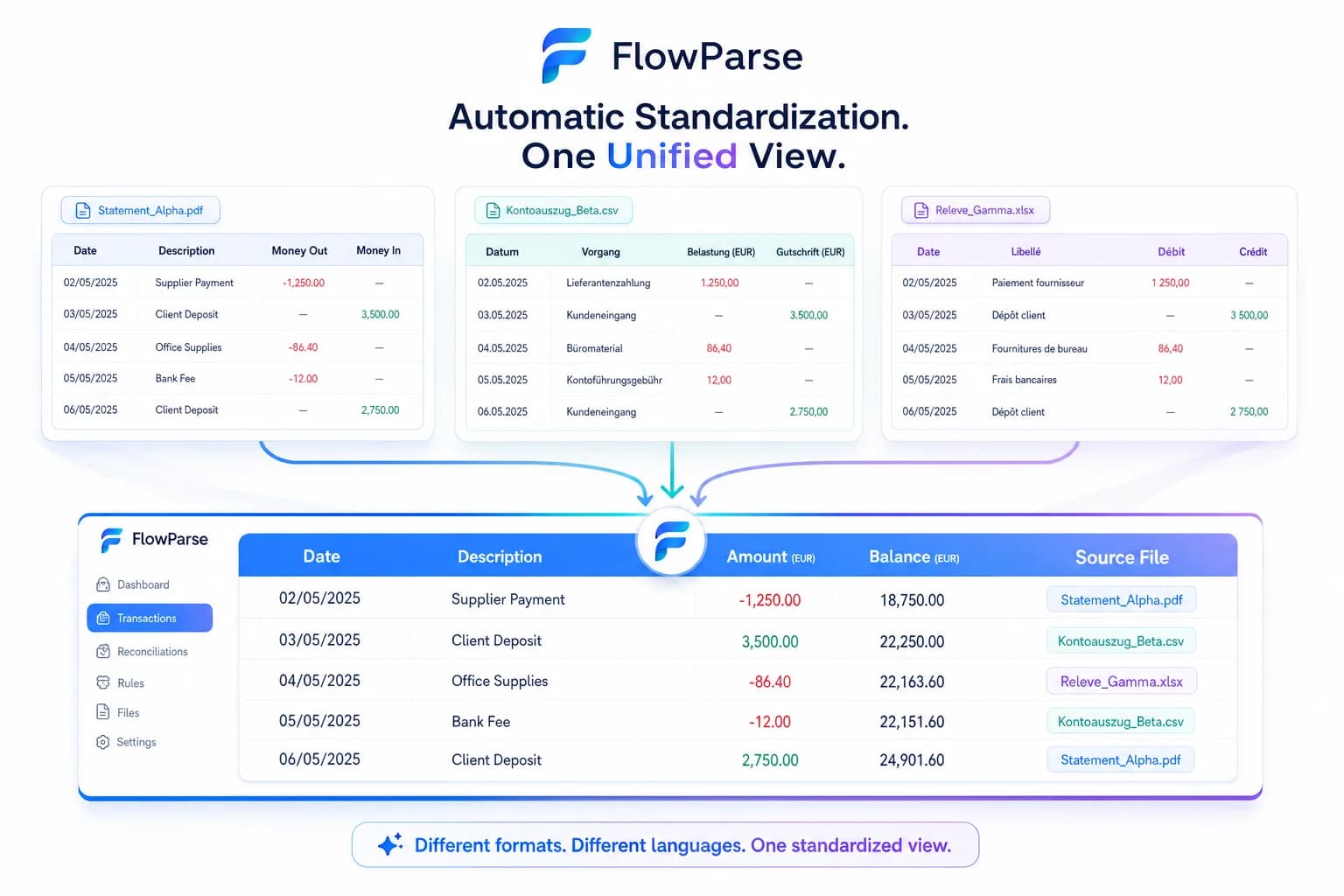
Consolidate up to 100 statements across banks into one reconciled Excel.
Real bank-feed files
.QBO/.QFX/.OFX that import into QuickBooks and Quicken with no column mapping.
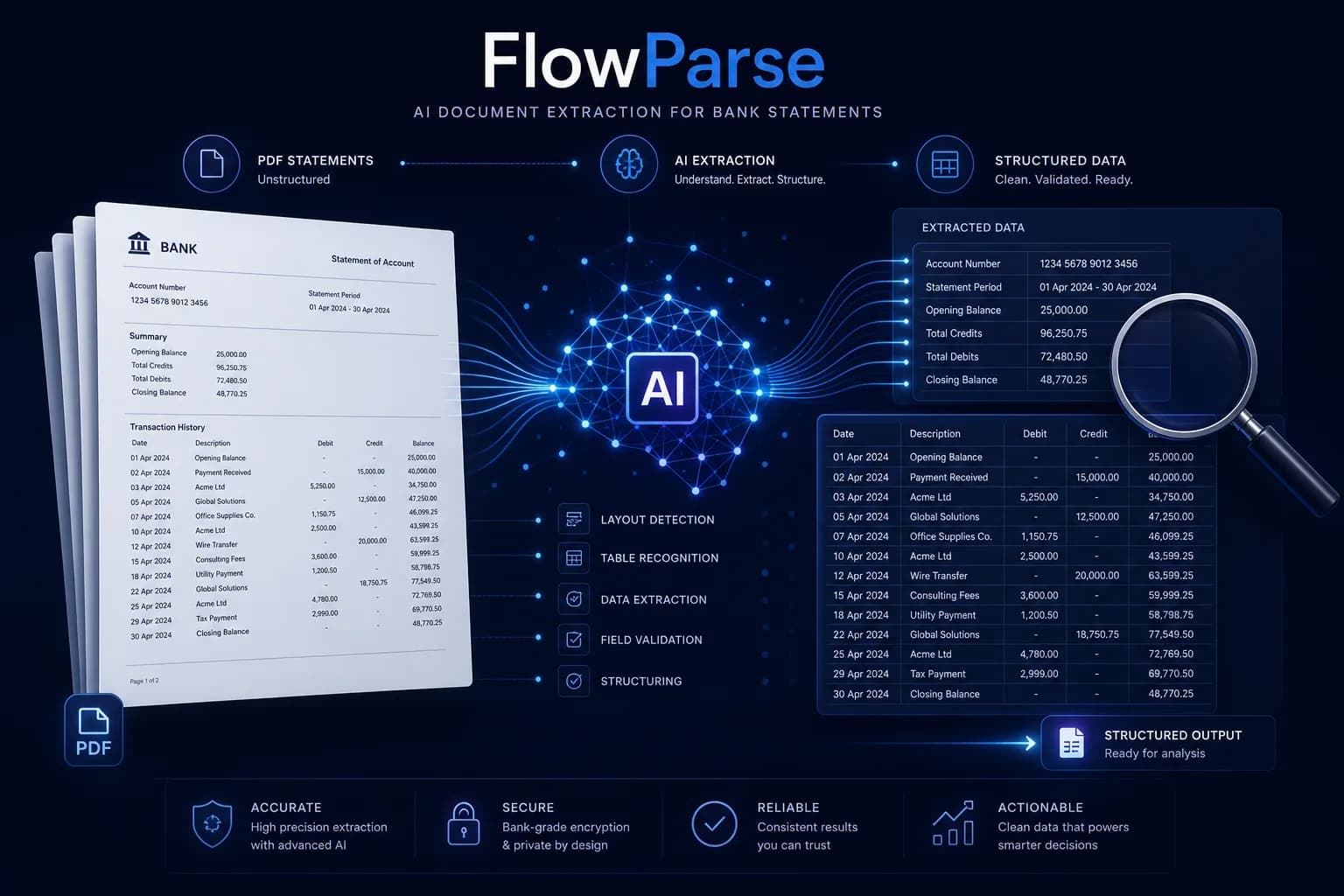
A year of statements: manual vs Smart Merge
The hardest part isn't one statement — it's combining a year across accounts and banks into one clean file.
Convert one by one
- Convert each statement separately
- Align different banks' columns by hand
- Hunt for duplicate overlaps
- Stitch everything into a master sheet
FlowParse Smart Merge
- Upload up to 100 PDFs at once
- Columns matched to one schema automatically
- Duplicates detected across statements
- One reconciled Excel, source-tracked
Pricing Comparison
How the cost and commitment models compare.
| Feature | DocuClipper | FlowParse |
|---|---|---|
| Entry cost | Monthly subscription | Free tier, then pay per page |
| Commitment | Monthly plan | None — top up as needed |
| Free trial without card | Limited | Yes — free pages monthly |
| Best for occasional use | No | Yes |
Accuracy Comparison
Both platforms use modern AI OCR — here is how extraction quality is assured.
| Feature | DocuClipper | FlowParse |
|---|---|---|
| AI OCR extraction | Yes | Yes |
| Scanned statement support | Yes | Yes |
| Balance reconciliation check | Yes | Yes |
| Editable review before export | Yes | Yes |
| Per-field confidence scores | Limited | Yes |
Who should choose DocuClipper?
- High, steady monthly conversion volume
- Teams already standardised on DocuClipper
- Users who prefer a fixed monthly plan
Who should choose FlowParse?
- Occasional or seasonal converters who want pay-per-page
- Accountants consolidating a year of statements with Smart Merge
- Anyone who wants to try free before paying
- Teams needing real QBO/QFX/OFX without lock-in
Migrating from DocuClipper to FlowParse
Switching takes minutes — there are no templates to rebuild or models to retrain.
Export your documents
Export invoices and statements from DocuClipper or your source.
Upload to FlowParse
Drag and drop PDFs, scans, or images — no setup.
Review extracted data
Check fields in the editable preview before export.
Export Excel or CSV
Download structured data for your accounting system.
Automate workflows
Use the API and integrations for future documents.