A ProperSoft Alternative
One Online AI Tool, Every Format
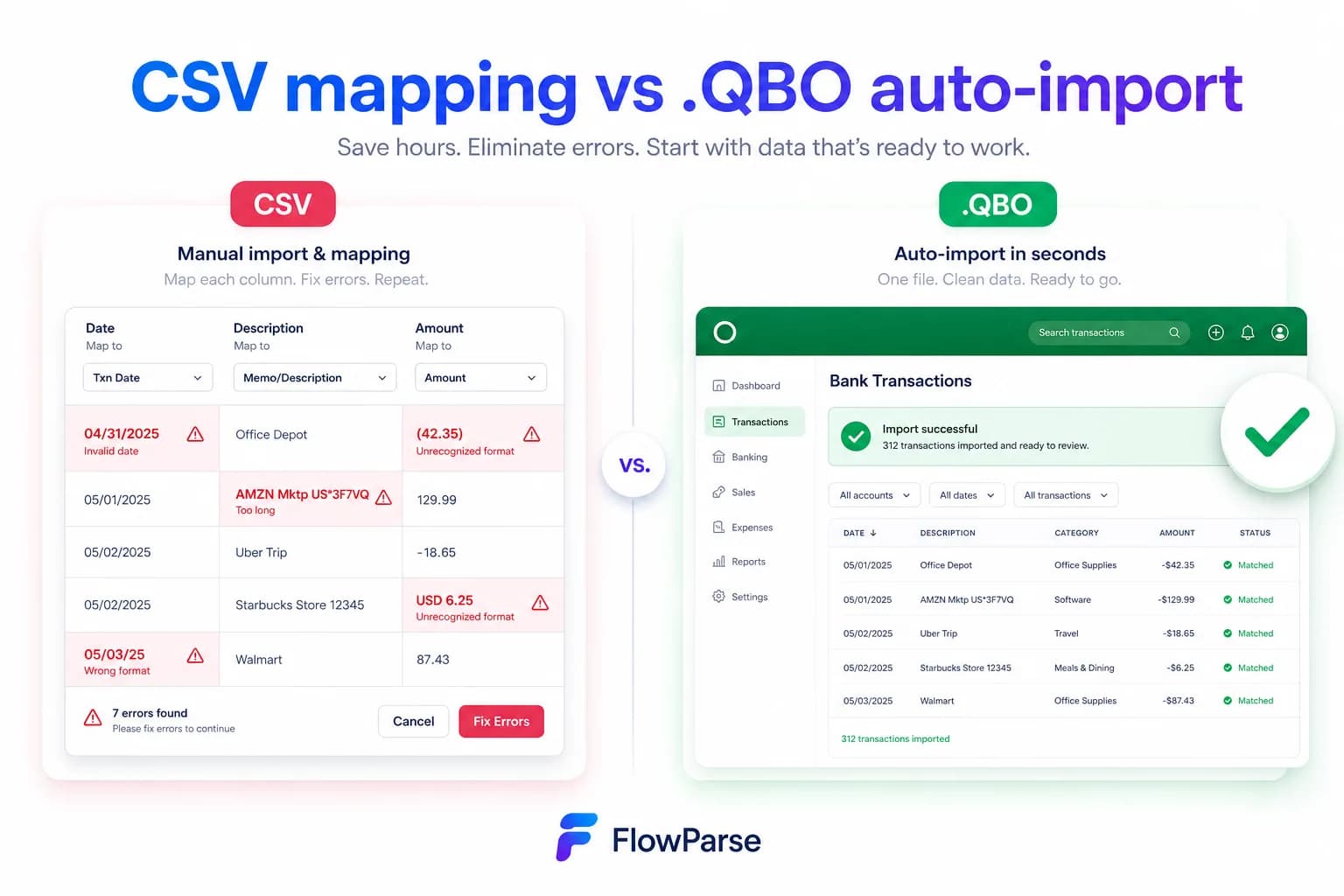
ProperSoft makes desktop converters with one-time licences — historically a family of single-purpose apps (Bank2QBO, PDF2QBO and more), now consolidated into ProperConvert, which handles many formats in one app and converts entirely on your own machine. FlowParse is an online AI tool — PDF statements to QBO, QFX, OFX, Excel and CSV — for any bank, with Smart Merge, balance validation and a free no-signup tier.
Users who want a cheap one-time desktop licence and don't mind a separate app per format.
Anyone who wants one online tool that reads any bank with AI and exports every format.
Why Businesses Look for ProperSoft Alternatives
One tool, not many apps
ProperSoft splits conversion across separate products; teams want a single tool for every format.
No desktop install
People want to convert in the browser from any device.
AI, not templates
Layout reading by meaning handles statements a template tool can't.
Start free
Convert a real statement and see the .QBO before paying.
Consolidate a year
Smart Merge combines many statements into one reconciled Excel.
Validation built in
Balance checks and duplicate detection keep imports clean.
Quick Comparison — ProperSoft vs FlowParse
A feature-by-feature look at ProperSoft and FlowParse.
| Feature | ProperSoft | FlowParse |
|---|---|---|
| PDF statement → .QBO | Yes | Yes |
| .QFX / .OFX export | Yes | Yes |
| One tool for all formats | Yes (ProperConvert) | Yes |
| Browser-based (no install) | Desktop app | Yes |
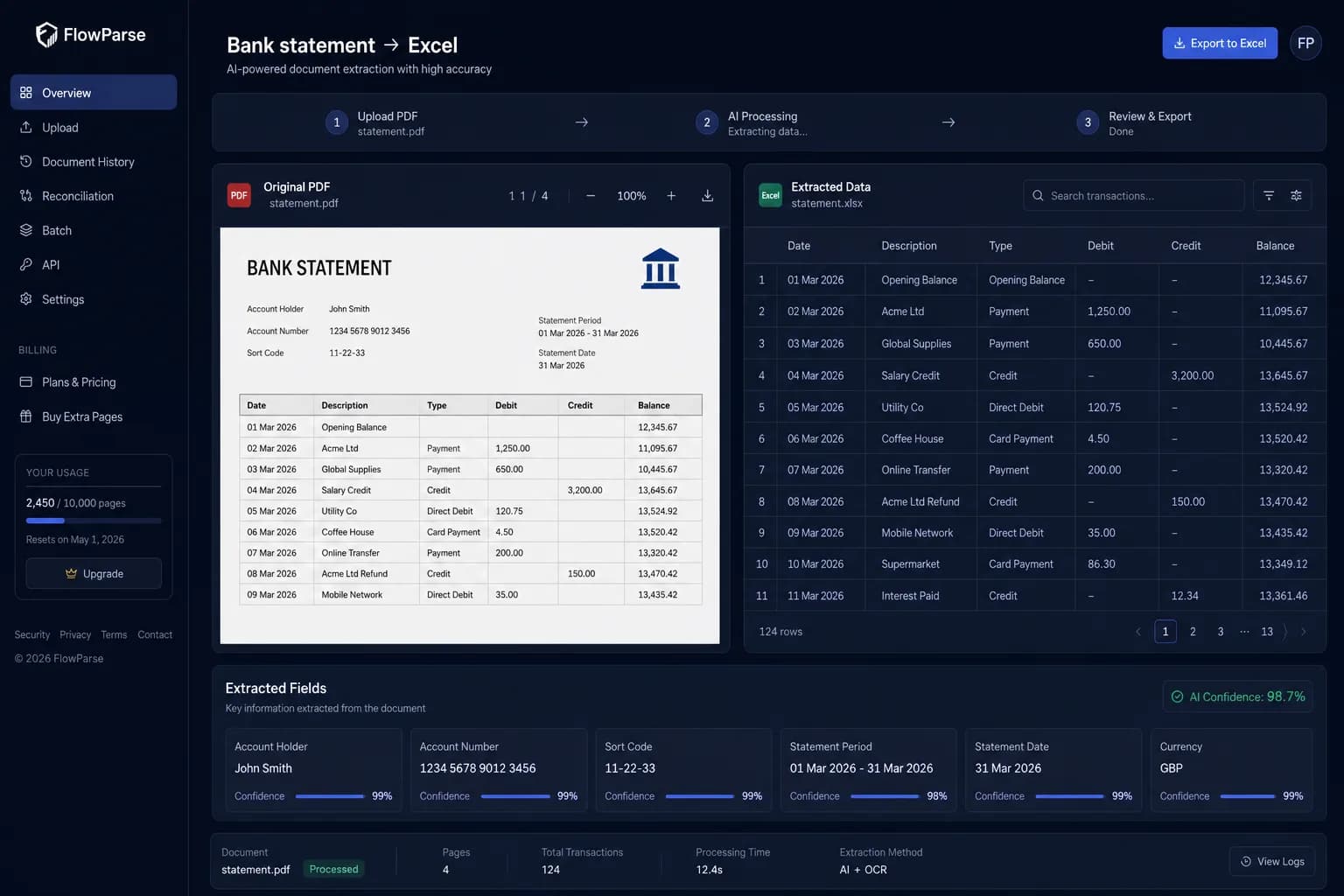
| AI extraction, any bank | Template-based | Yes |
| Excel & CSV export | Yes | Yes |
| Xero-ready export | No | Yes |
| Smart Merge — 100 PDFs → 1 Excel | No | Yes |
| Free no-signup tier | No | Yes |
| Balance validation | Limited | Yes |
What Is ProperSoft?
ProperSoft is a long-standing maker of desktop file converters — products like Bank2QBO, PDF2QBO, Bank2CSV and others — typically sold as inexpensive one-time licences. Each handles a specific input/output combination.
That's appealing if you want a cheap, offline, install-once tool. The trade-offs are that you may need a different app per format, the tools are template-driven (so an unfamiliar statement layout can be a problem), and you work on a single machine.
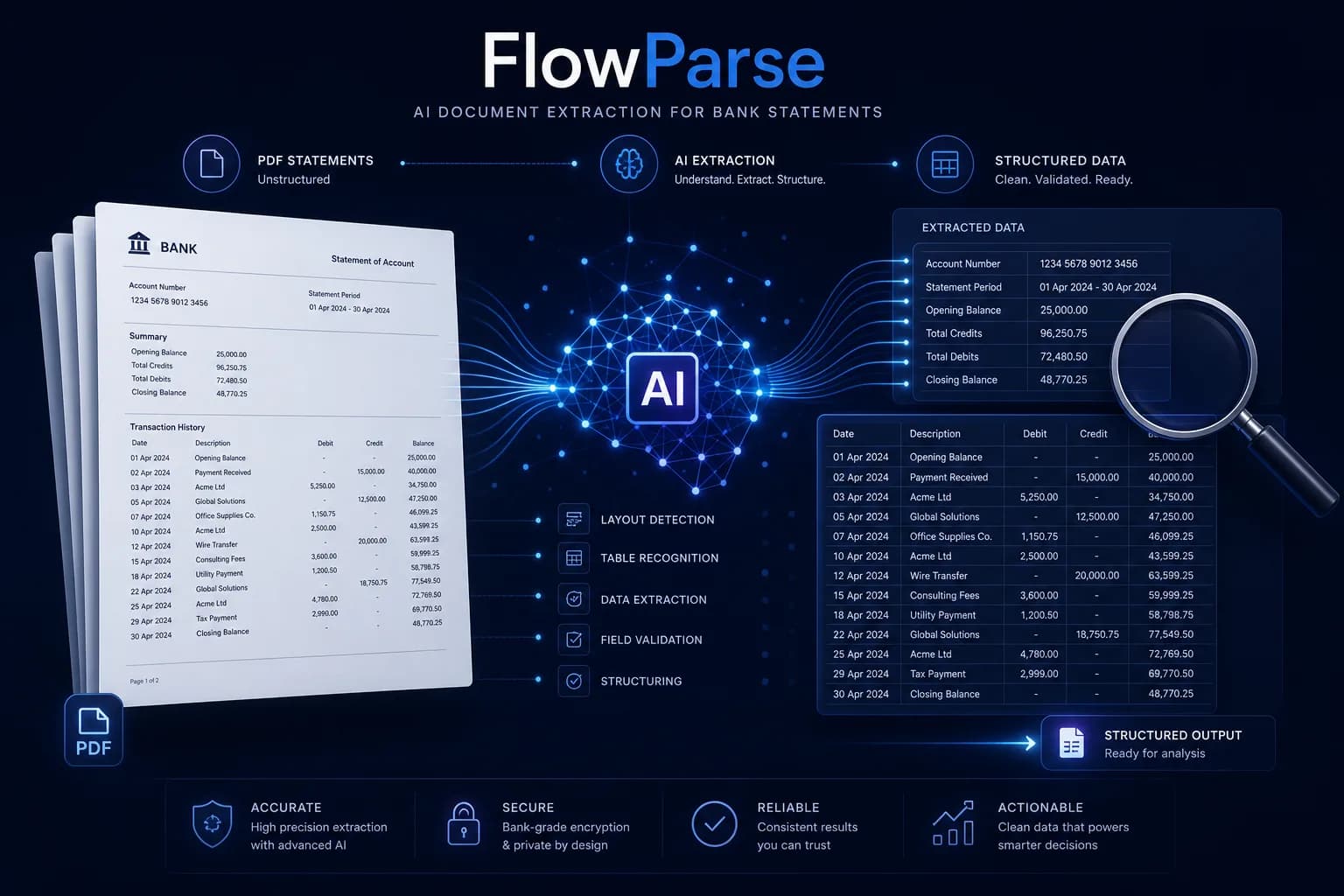
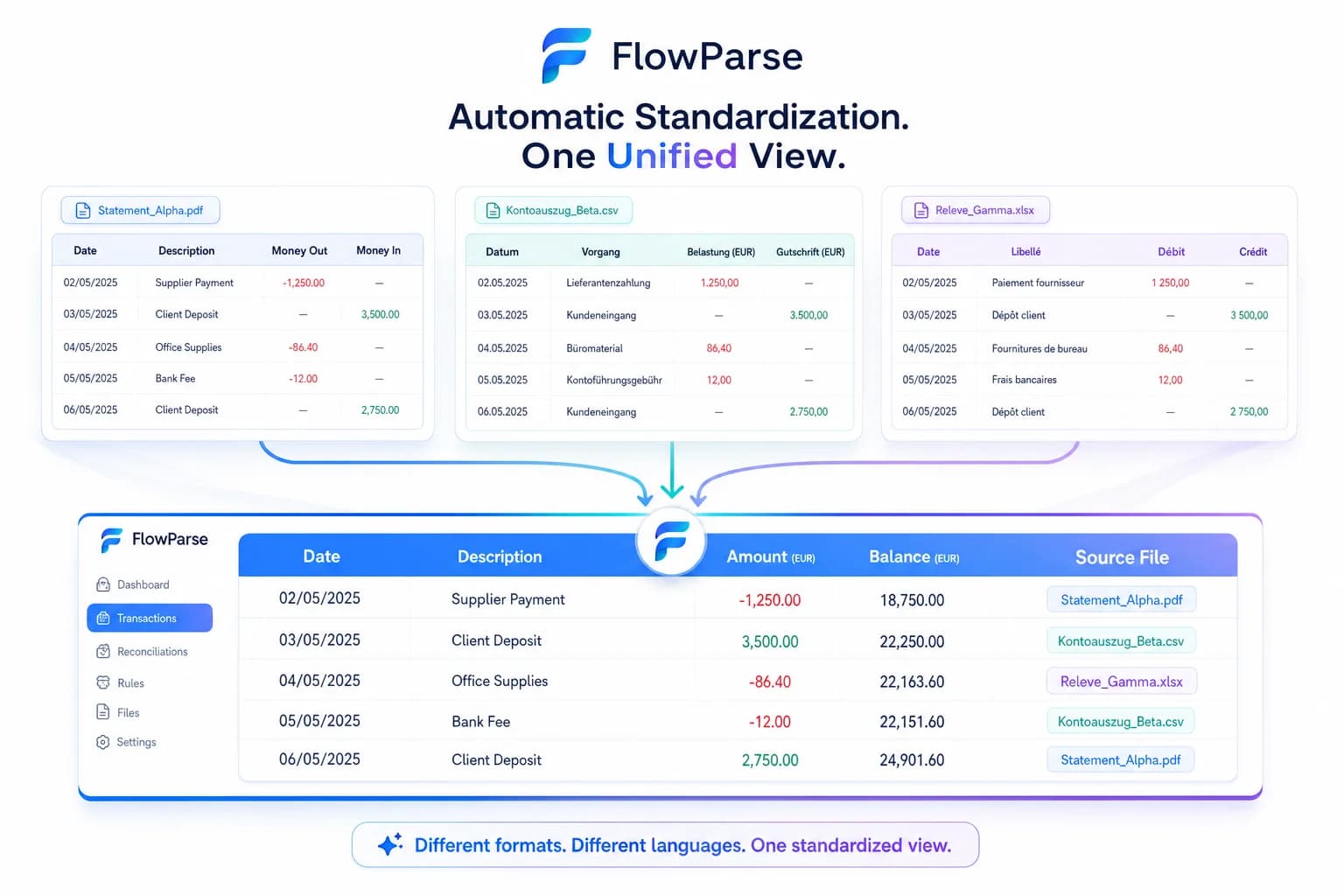
FlowParse replaces the whole set with one online AI tool: upload any bank's PDF and export .QBO, .QFX, .OFX, Excel, CSV or a Xero-ready file. Extraction is AI-based, there's a free tier, and Smart Merge consolidates a year into one workbook.
ProperSoft strengths
- Inexpensive one-time licences
- Many format combinations covered
- Works offline on the desktop
- Simple, focused converters
Where teams want something different
- Often a separate app per input/output
- Template-based — struggles with new layouts
- Desktop install, single machine
- No free web tier or Smart Merge
Why Teams Switch to FlowParse
One tool
Every format from a single online app — no per-format products.
AI, any bank
Layouts read by meaning, so new statements still convert.
No install
Convert in any browser, on any device.
Smart Merge
Consolidate up to 100 statements into one reconciled Excel.
Per-format apps vs one AI tool
Instead of choosing the right converter app for each job, do it all in one place.
ProperSoft (desktop)
- Pick the right app per format
- Install and license each one
- Template reads a fixed layout
- Work on one machine, offline
FlowParse (online AI)
- One tool for QBO/QFX/OFX/Excel/CSV
- AI reads any bank's layout
- Validated, duplicate-safe output
- Any browser, free to start
Pricing Comparison
How the cost and commitment models compare.
| Feature | ProperSoft | FlowParse |
|---|---|---|
| Model | One-time desktop licence(s) | Free tier + pay per page |
| Apps needed | One app (ProperConvert) | One tool, all formats |
| Try without paying | Trial limits | Yes — free pages monthly |
| Device | Per-machine install | Any browser |
Accuracy Comparison
Both platforms use modern AI OCR — here is how extraction quality is assured.
| Feature | ProperSoft | FlowParse |
|---|---|---|
| Reads unfamiliar layouts | Template-dependent | AI, any layout |
| Scanned statement OCR | Varies | Yes |
| Balance reconciliation | Limited | Yes |
| Editable review before export | Limited | Yes |
| Per-field confidence scores | No | Yes |
Who should choose ProperSoft?
- Users who want a cheap one-time desktop licence
- Offline, single-machine workflows
- People converting one fixed statement layout
Who should choose FlowParse?
- Anyone who wants one online tool for every format
- Teams converting many different banks
- Accountants consolidating a year with Smart Merge
- Users who want to start free with no install
Migrating from ProperSoft to FlowParse
Switching takes minutes — there are no templates to rebuild or models to retrain.
Export your documents
Export invoices and statements from ProperSoft or your source.
Upload to FlowParse
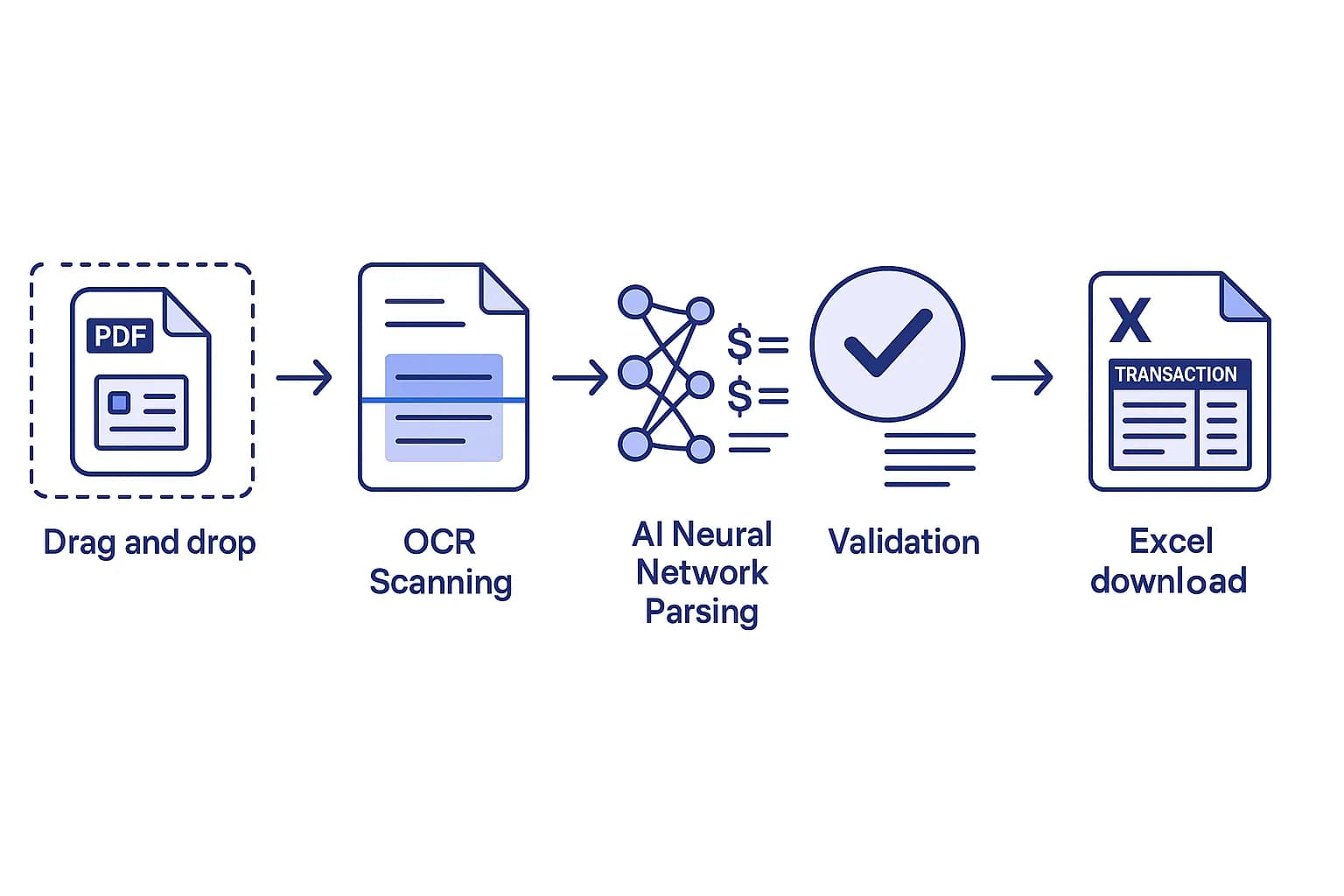
Drag and drop PDFs, scans, or images — no setup.
Review extracted data
Check fields in the editable preview before export.
Export Excel or CSV
Download structured data for your accounting system.
Automate workflows
Use the API and integrations for future documents.