

A Bank2QBO Alternative
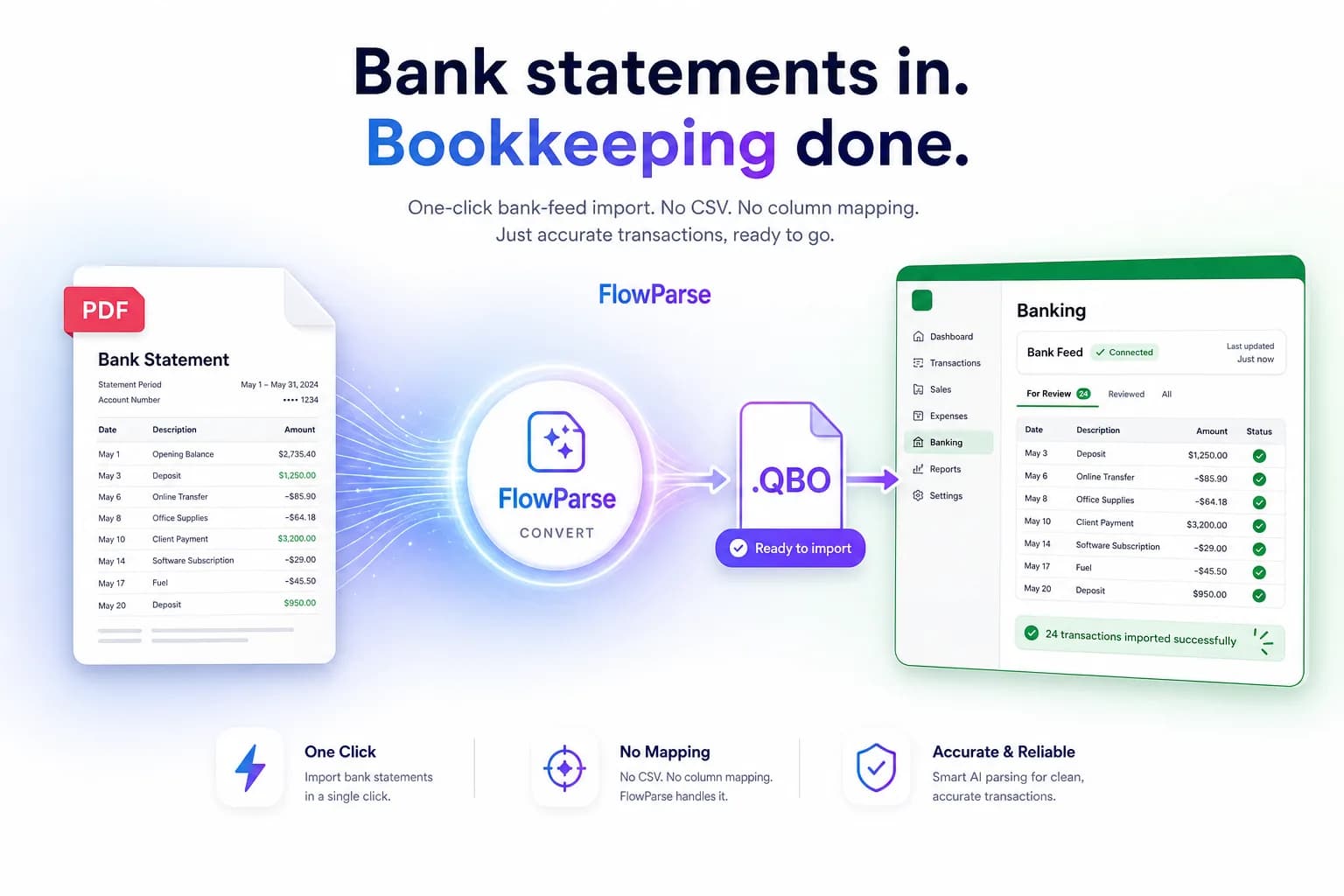
PDF to QBO Online, No CSV Mapping
Bank2QBO (by ProperSoft) is a desktop app that converts CSV, Excel and PDF statements to QBO, usually after you map columns by hand. FlowParse does it online with AI: upload a PDF statement from any bank, get a balance-validated .QBO — no install, no column mapping — plus QFX, OFX, Excel and CSV, Smart Merge and a free no-signup tier.
Users who want a cheap one-time desktop licence and don't mind installing software and mapping columns per file.
Anyone who wants to convert PDF statements to QBO online with AI — no install, no mapping — and other formats too.
Why Businesses Look for Bank2QBO Alternatives
No desktop install
Bank2QBO is a Windows/Mac app; FlowParse runs in any browser on any device.
No CSV column mapping
AI reads the statement's columns for you instead of mapping debit/credit/date by hand each time.
Reads PDFs directly
AI extracts straight from the bank PDF — no converting to CSV first.
Every bank, no setup
AI handles any bank's layout; template/mapping tools struggle when formats change.
More than QBO
Also export QFX, OFX, Xero, Excel and CSV from the same upload.
Start free
Convert a real statement and see the .QBO before paying — no licence purchase first.
Quick Comparison — Bank2QBO vs FlowParse
A feature-by-feature look at Bank2QBO and FlowParse.
| Feature | Bank2QBO | FlowParse |
|---|---|---|
| PDF statement → .QBO | Often via CSV first | Direct from PDF |
| Manual column mapping | Usually required | None — AI |
| Runs in the browser | Desktop app | Yes |
| .QFX / .OFX export | Yes | Yes |
| Excel & CSV export | Yes | Yes |
| Xero-ready export | No | Yes |
| AI extraction, any bank | Template/mapping | Yes |
| Balance validation + quality score | No | Yes |
| Smart Merge — 100 PDFs → 1 Excel | No | Yes |
| Free no-signup tier | No | Yes |
| REST API | No | Yes |
| Auto-updates / no maintenance | Per-version licence | Yes |
What Is Bank2QBO?
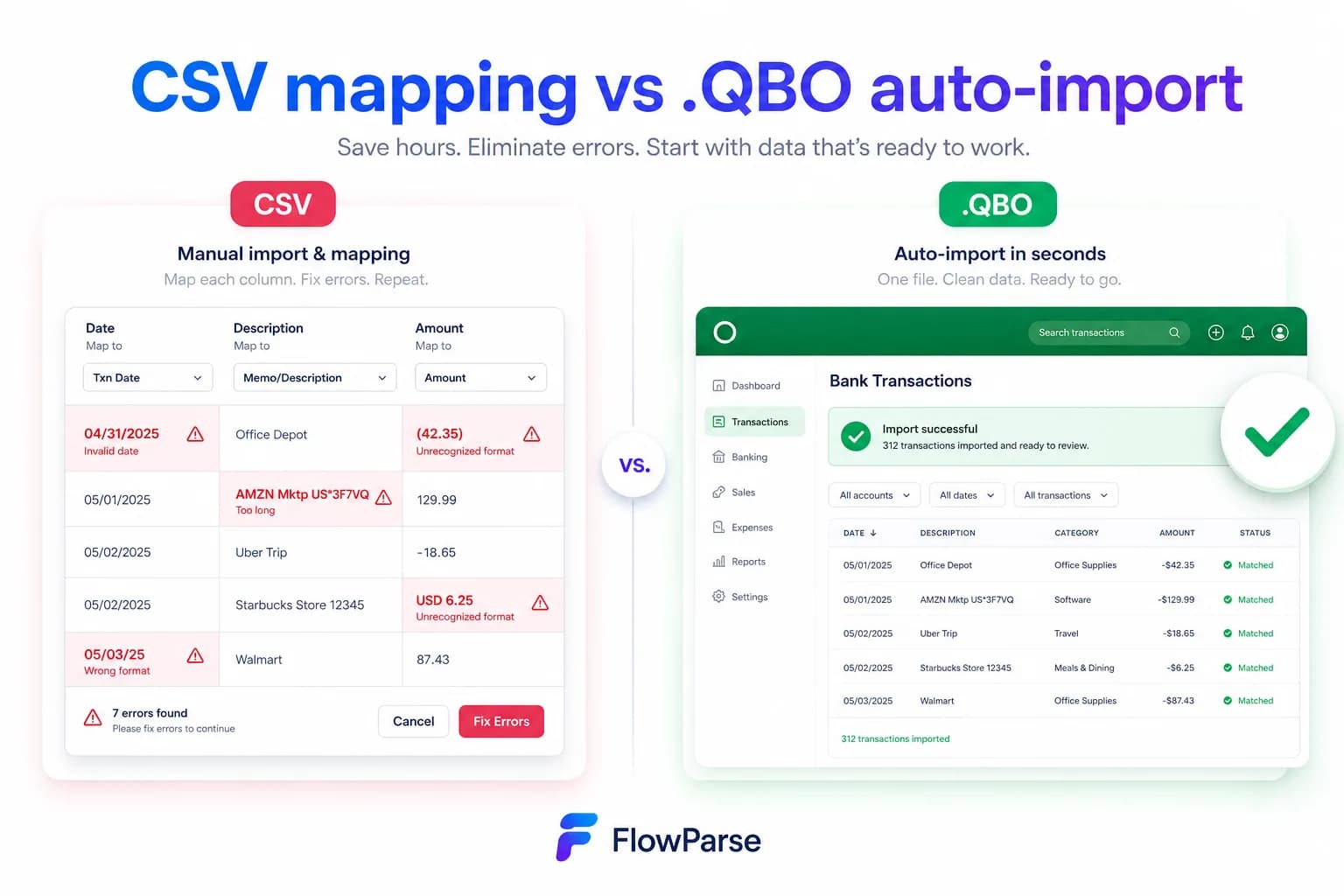
Bank2QBO is part of ProperSoft's family of desktop converters. You open the app, load a CSV, Excel or PDF statement, map the columns (which is the date, which is the amount, how debits and credits are signed) and export a .QBO for QuickBooks. It's inexpensive and works offline, which suits users who convert occasionally and don't mind the manual step.
FlowParse is an online AI converter. You upload the bank PDF and the AI reads the columns itself — recognising dates, descriptions, and debit/credit signing without you mapping anything — then validates the result against the statement's balances and exports a .QBO (or QFX, OFX, Xero, Excel, CSV). There's nothing to install and nothing to map.
Both produce a .QBO; the difference is the work in between. Bank2QBO asks you to convert and map per file on the desktop; FlowParse reads the PDF directly with AI, checks the balance, and works from any device — with a free tier so you can see the output first.
Bank2QBO strengths
- Cheap one-time desktop licence
- Works offline once installed
- Supports QBO/QFX/OFX output formats
- Fine for occasional, predictable conversions
Where teams want something different
- Requires installing and updating desktop software
- Manual column mapping is needed for many files
- Template/mapping approach struggles when a bank changes layout
- No balance validation, Smart Merge, free online tier or API
Why Teams Switch to FlowParse
Skip the mapping step
AI detects the date, amount and debit/credit columns for you — no per-file column mapping.
Convert from anywhere
Browser-based, so it works on Mac, Windows, Chromebook or phone with nothing to install.
Balance-validated QBO
Opening balance plus transactions must equal the closing balance, so your import is clean before it lands in QuickBooks.
FITID de-duplication
OFX 1.0.2 files include a stable FITID per transaction, so re-imports never double-post.
One tool, every format
QBO, QFX, OFX, Xero, Excel and CSV from a single upload — not a separate task per format.
Free to try, API to scale
Convert free with no signup, then automate over the REST API when you need volume.
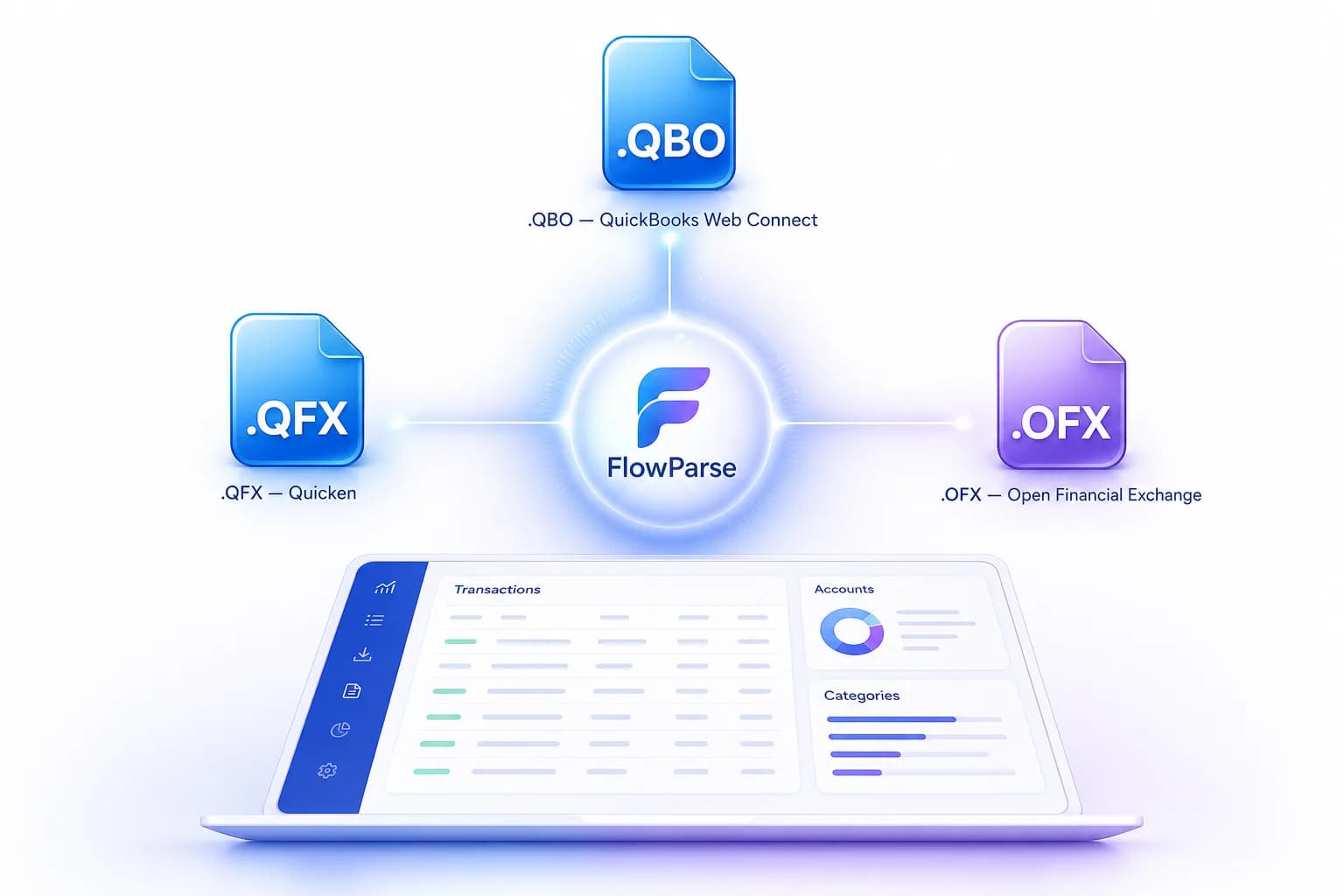
Map columns by hand vs let AI read the statement
The manual mapping step is where desktop converters cost you time and introduce errors. FlowParse removes it.
Bank2QBO (desktop) path
- Install and open the app
- Load the CSV/Excel/PDF
- Map date, amount, debit/credit columns
- Export .QBO
- Repeat the mapping for the next file/bank
FlowParse (online) path
- Upload the bank PDF in the browser
- AI reads every column automatically
- Balance check validates the data
- Download .QBO (or QFX/OFX/Xero/Excel)
- Same flow for any bank, no re-mapping
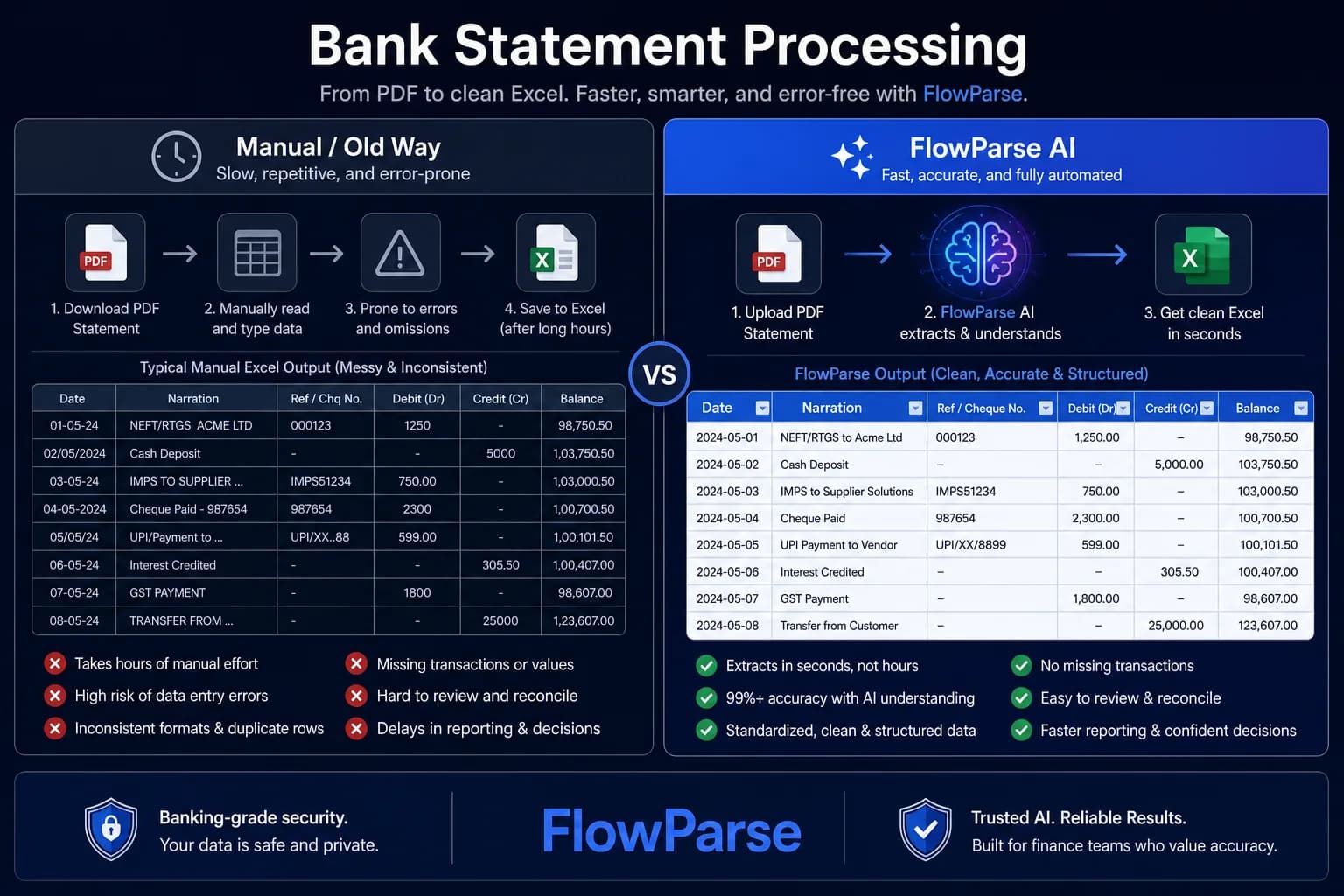
Pricing Comparison
How the cost and commitment models compare.
| Feature | Bank2QBO | FlowParse |
|---|---|---|
| Free tier (no signup) | No | Yes — pages/month free |
| Model | One-time desktop licence | Per page from a balance |
| Install required | Yes | No (browser) |
| Manual mapping | Usually | None |
| Balance validation | No | Yes |
Accuracy Comparison
Both platforms use modern AI OCR — here is how extraction quality is assured.
| Feature | Bank2QBO | FlowParse |
|---|---|---|
| Reads PDF columns automatically | Manual mapping | AI, automatic |
| Handles a new bank layout | Re-map / template | Works first try |
| Debit/credit signing | You configure | Auto, signed |
| Balance reconciliation check | No | Yes |
| Multi-page statements | Per file | Every row |
Who should choose Bank2QBO?
- Occasional users converting a few predictable files offline
- People who already own a ProperSoft licence
- Users who specifically want a desktop, offline tool
- Workflows starting from a clean CSV export
Who should choose FlowParse?
- Anyone converting PDF statements to QBO without manual mapping
- Mac/Chromebook/mobile users who can't or won't install apps
- Accountants converting statements from many different banks
- Teams that want validation, Smart Merge and an API
Migrating from Bank2QBO to FlowParse
Switching takes minutes — there are no templates to rebuild or models to retrain.
Export your documents
Export invoices and statements from Bank2QBO or your source.
Upload to FlowParse
Drag and drop PDFs, scans, or images — no setup.
Review extracted data
Check fields in the editable preview before export.
Export Excel or CSV
Download structured data for your accounting system.
Automate workflows
Use the API and integrations for future documents.
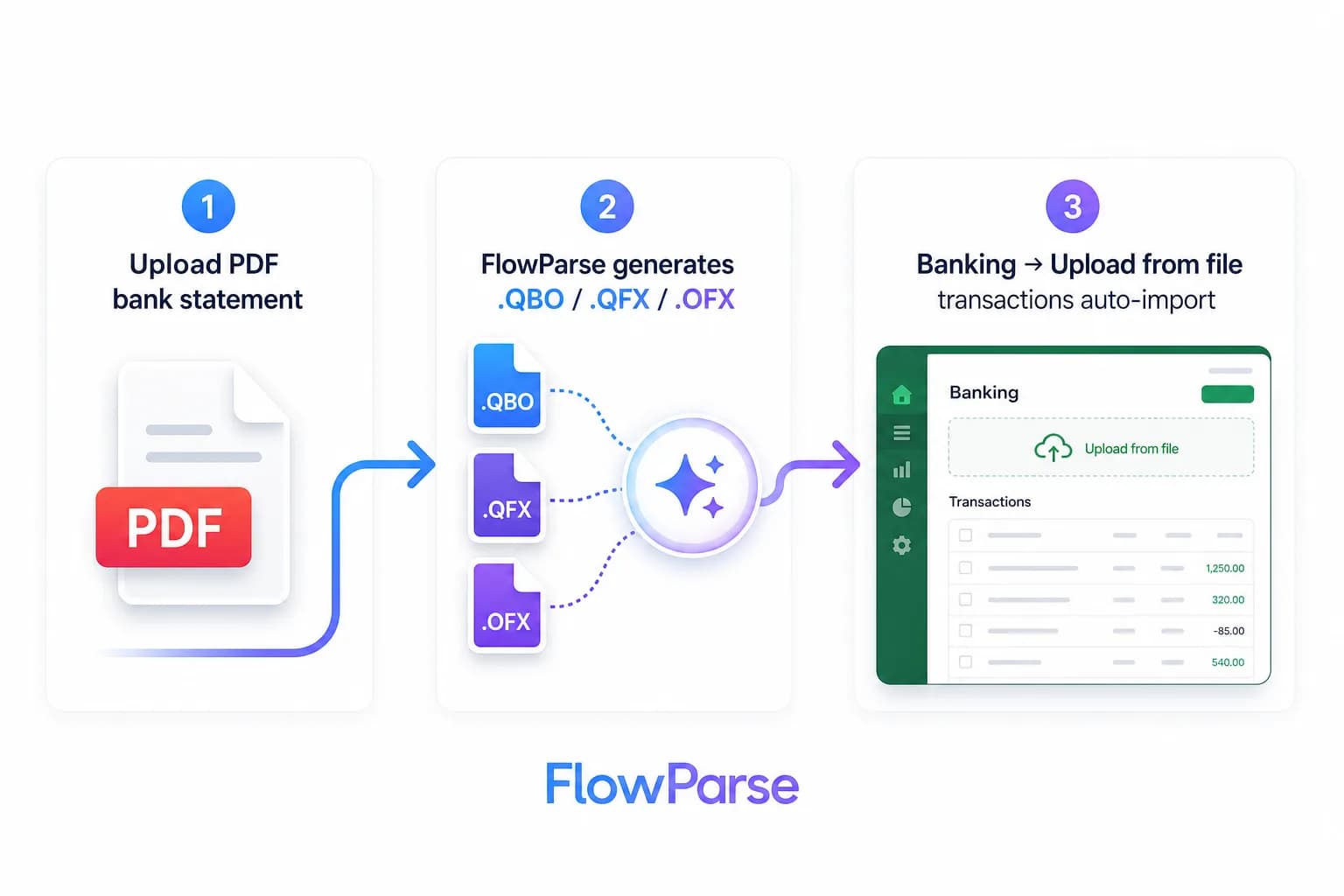
Desktop + manual mapping vs online AI
The defining feature of Bank2QBO is also its main friction: it's a desktop tool that usually asks you to map columns for each file. You tell it which column is the date, which is the amount, and how debits and credits are represented, then it builds the .QBO. For one bank in one fixed format that's a minor chore; across multiple banks, or when a bank tweaks its statement, the mapping has to be redone and it's easy to get the debit/credit signing wrong.
FlowParse removes that step entirely. The AI reads the statement's structure and recognises the columns by meaning, so a PDF bank statement from any bank converts to a clean, signed transaction set without configuration — and because it's online, there's no app to install, license or keep updated. You can convert from a Mac, a Chromebook or a phone, which a Windows-leaning desktop tool can't always offer.
It also reads PDFs directly. Desktop converters often work best from a CSV, nudging you to export or pre-convert first; FlowParse extracts straight from the bank's PDF, which is usually the only file you actually have.
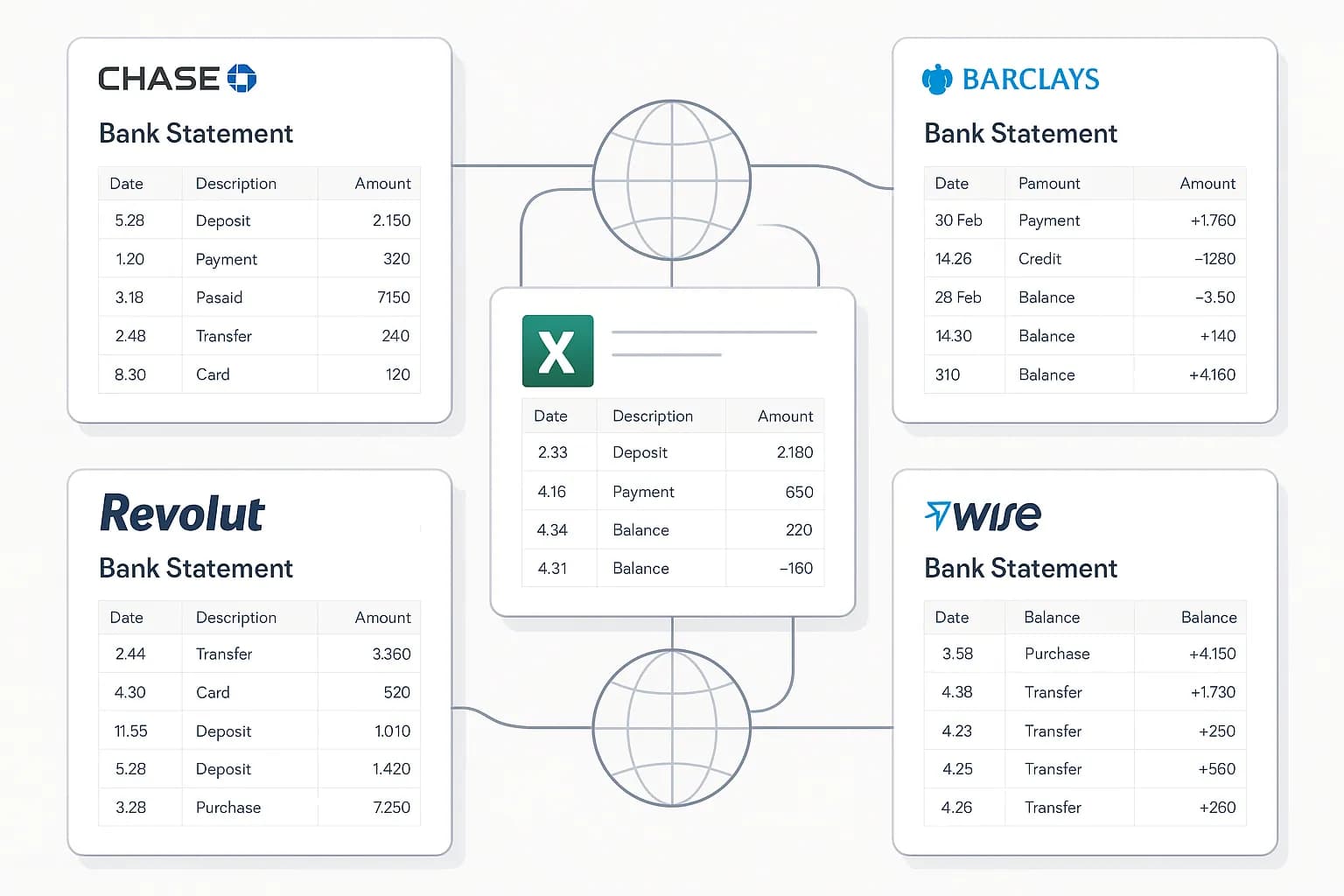
A QBO import that just reconciles
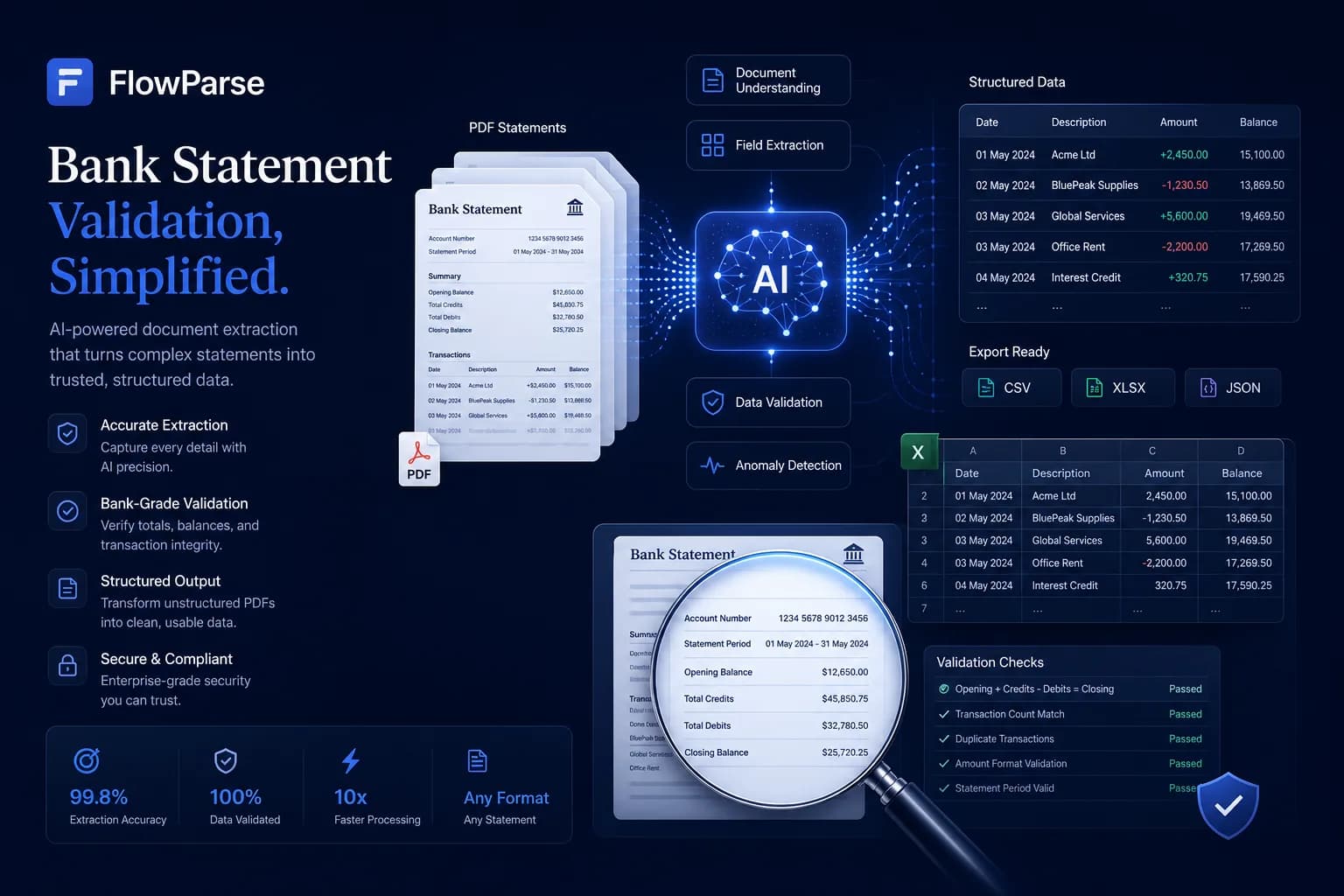
Getting a .QBO is easy; getting one that imports cleanly is the real goal. FlowParse validates every statement against its own balances — opening balance plus the sum of transactions must equal the closing balance — so a dropped or misread row is caught *before* you import, not discovered later when QuickBooks won't reconcile. Each transaction also carries a stable `FITID` (OFX 1.0.2), the identifier QuickBooks uses to avoid posting the same transaction twice on a re-import.
Desktop mapping tools generally don't validate balances; if you map a column wrong, the export is wrong and you find out in your books. The combination of AI column reading plus a validation gate is what makes FlowParse's QBO output dependable. The PDF to QBO and how to convert a bank statement to QBO pages walk through the import.
| Step | Bank2QBO | FlowParse |
|---|---|---|
| Install software | Required | None (browser) |
| Map columns | Per file/bank | None (AI) |
| Source file | Often CSV first | PDF directly |
| Balance validation | No | Yes |
| Formats from one upload | QBO/QFX/OFX | + Xero/Excel/CSV |
Beyond a single file: merge, validate, automate
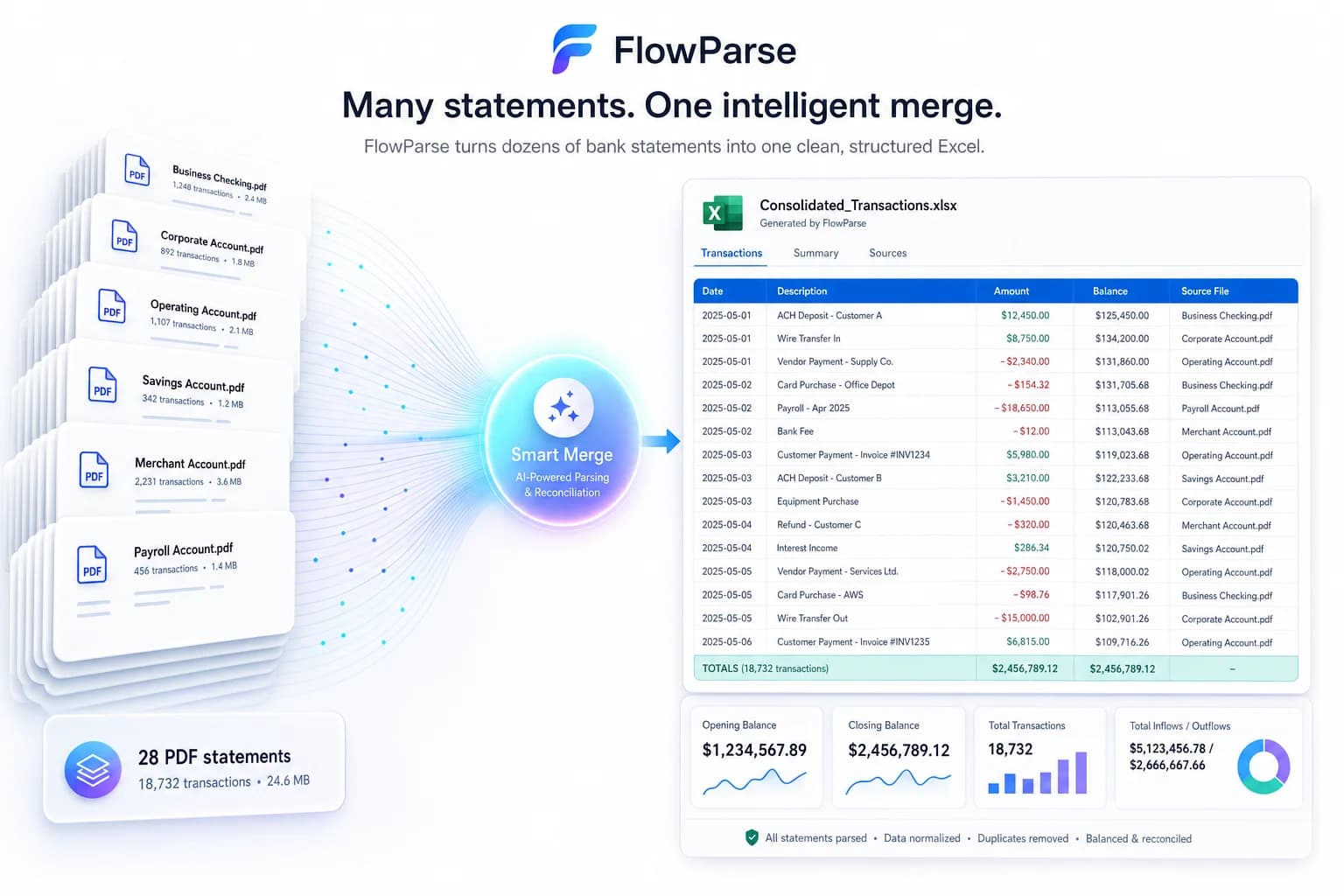
Per-file desktop conversion hits a wall at volume. If you need a year of statements or a whole client's history, opening the app and mapping each file is slow. FlowParse's Smart Merge consolidates up to 100 statements into one reconciled Excel — unified columns across banks, duplicates removed, per-row source tracking — and you can combine credit-card and bank statements the same way.
For developers and high-volume teams, the same conversion is available over a REST API: the bank statement API returns structured JSON and the export endpoint returns the .QBO, billed per page. That's a path a one-off desktop licence simply doesn't offer — you can wire statement-to-QBO conversion straight into your own product or back office.
Pricing, privacy and when Bank2QBO still fits
FlowParse is per page from a balance with a free monthly allowance and no signup to try — so you can convert a real statement and inspect the .QBO before paying, and there are no paid version upgrades to track. Bank2QBO's one-time desktop licence can be cheaper for someone who converts a single bank's statements occasionally and is happy offline; that's a legitimate fit, and we'd rather be honest about it than oversell.
Where FlowParse wins is everything online and at scale: any bank with no mapping, balance-validated output, multiple formats, merge, an API and a free start — from any device. On privacy, FlowParse processes in EU data centres, deletes the original PDF after extraction and never trains on your documents (see the security page). For the broader ProperSoft suite comparison, see the ProperSoft alternative; to convert now, use the PDF to QBO converter.
Mac, Chromebook and mobile — no install required
Desktop converters are, by definition, tied to a machine and an operating system. If you work on a Mac, a Chromebook, a locked-down work laptop, or you just want to convert a statement from your phone, installing and updating a Windows-leaning desktop app is friction you shouldn't have to accept for a task this simple. FlowParse runs entirely in the browser, so the same PDF-to-QBO conversion works on any device with no install, no admin rights and no version to keep current.
That also changes how teams work. With a desktop licence, conversion happens on whoever's machine has the app; with an online tool, anyone on the team can convert from anywhere, and the workflow is identical every time. There's no 'which version are you on?' support overhead, because everyone is always on the latest. For an accountant juggling clients across devices, or a bookkeeper working remotely, browser-based conversion is simply less to manage.
And because it's online, the same upload can produce more than a QBO — QFX, OFX, Xero CSV, Excel and CSV all come from one conversion, so you're not buying or opening a different tool for each destination.
Accuracy on the statements that trip up mapping tools
The statements that cause the most trouble for a column-mapping converter are the messy ones: a bank that splits debits and credits across two columns, then a different bank that uses one column with a trailing 'DR', multi-line descriptions that push amounts onto the wrong row, foreign-currency lines, or a statement that changed format halfway through the year. With manual mapping, each of these needs you to notice the quirk and configure for it — and a wrong guess silently produces a wrong .QBO.
FlowParse handles these because it reads the statement's structure rather than relying on you to describe it: debit/credit columns are normalised to a single signed amount, dates are parsed regardless of format, and the balance reconciliation check verifies the whole thing adds up before export. If a row was misread, the balance won't reconcile and it's flagged — so you catch the problem on screen, not in QuickBooks. That safety net is the practical reason AI extraction beats hand mapping for anything beyond a single clean format.
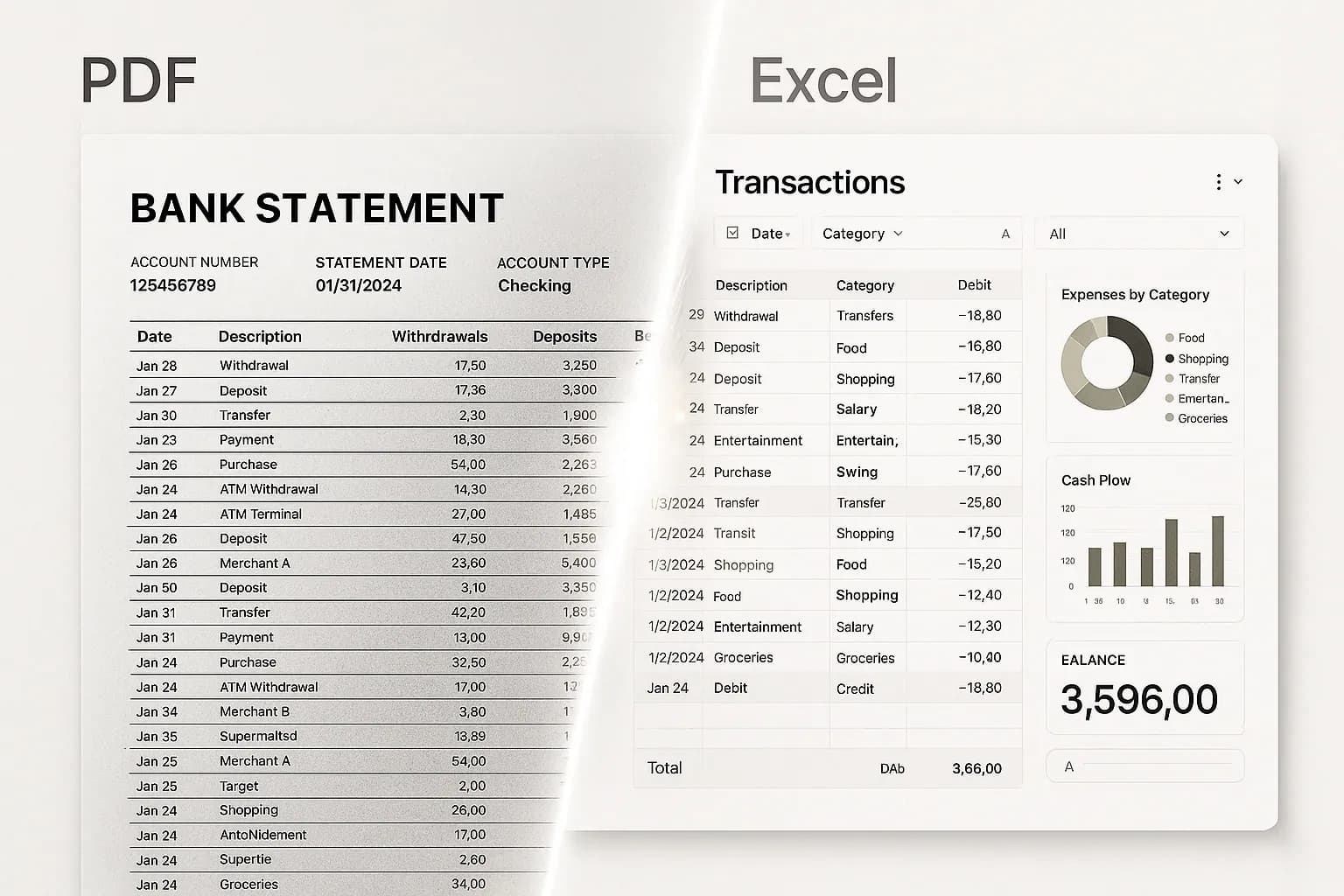
Pricing, privacy and getting started
FlowParse is per page from a top-up balance with a free monthly allowance, and there's no signup required to try it — convert a real statement and inspect the .QBO before paying, with no paid version upgrades to track over time. A one-time desktop licence like Bank2QBO can be cheaper for a single user converting one bank's statements occasionally and happy to work offline; if that's genuinely your situation, it's a fair choice. For anything broader — multiple banks, multiple devices, validation, batching or automation — the online AI approach pays for itself in saved time and avoided import errors.
On privacy, FlowParse processes in EU data centres, deletes the original PDF immediately after extraction, stores extracted data encrypted and never trains models on your documents (see the security page). Getting started takes seconds: open the PDF to QBO converter, upload a statement, and download the validated .QBO. To automate at volume, get an API key and use the bank statement API; for the wider ProperSoft suite, see the ProperSoft alternative.
A real-world scenario: month-end for a bookkeeper
Take a bookkeeper closing the month for several clients. With a desktop converter, the routine is: open the app, load each statement, map the columns (again), export the .QBO, switch clients, repeat — and if a client's bank changed its layout, re-figure the mapping before anything works. It's a series of small, fiddly, error-prone steps repeated per file, and it only happens on the one machine that has the software installed.
With FlowParse the same close runs from the browser, on whatever device the bookkeeper is using. Each PDF statement is uploaded, the AI reads the columns automatically, the balance check confirms it reconciles, and the .QBO downloads — no mapping, no install, identical steps for every bank. A year-end catch-up that spans twelve statements is even better: Smart Merge turns them into one reconciled workbook in a single pass.
The payoff isn't just speed, it's fewer silent mistakes. The most expensive month-end errors come from a mis-mapped debit/credit column that produces a plausible-but-wrong .QBO; you discover it later when the books won't reconcile. Because FlowParse signs amounts automatically and validates the balance before export, that class of error is caught on screen, not in QuickBooks a week later.
And when the practice grows enough to want automation, the exact same conversion is available over the bank statement API — so the manual month-end routine can become a script without changing tools. That's a path a per-file desktop licence simply can't offer. The progression is natural rather than disruptive: a bookkeeper who starts by converting the occasional statement in the browser can, as volume grows, move to batch conversion and Smart Merge, and eventually to a scripted pipeline over the API — all on the same tool, with the same validated output, without ever re-learning a new product or re-mapping a single column. A desktop converter caps out at 'open the app and do it again', because there's no headless mode and no API to grow into. Choosing an online AI tool isn't just a better experience today; it's the option that still fits when your monthly volume is ten times what it is now.
It is worth naming the failure mode a desktop tool quietly invites at month-end: tedium breeds shortcuts. When every statement means re-confirming the same column mapping by hand, it is human nature to stop checking carefully by the tenth file, and that is precisely when a debit lands in the credit column and a wrong-but-plausible .QBO slips through. Removing the repetitive mapping step doesn't just save minutes — it removes the situation where fatigue causes the error in the first place. FlowParse does the same structural reading on file ten as on file one, with the same balance check, so the last statement of a long close is as trustworthy as the first. For a practice whose reputation rests on books that reconcile, that consistency under volume is the real argument for moving off a manual desktop converter.