
A Hubdoc Alternative
Statements, Validation & 9-Format Export
Hubdoc is Xero's document-collection tool — it fetches bills, receipts and statements from connected accounts and pushes them into Xero or QuickBooks. FlowParse is built around converting the documents themselves: take any bank-statement PDF from any bank and turn it into clean, balance-validated transactions you can export to Excel, CSV, QBO, QFX, OFX and Xero, with Smart Merge, a metered REST API and a free no-signup tier.
Xero-centric bookkeepers who want bills and receipts auto-fetched and published into Xero with minimal manual upload.
Anyone who needs to convert arbitrary bank-statement PDFs into validated, accounting-ready data and export to QBO/QFX/Xero — not just Xero users.
Why Businesses Look for Hubdoc Alternatives
Any bank, any PDF
Hubdoc shines when it can fetch from a connected source; FlowParse converts any statement PDF you already have, from any bank.
Statements as a first-class type
Hubdoc centres on bills and receipts; FlowParse treats multi-page bank statements as a core document type with row-by-row extraction.
Balance validation in the box
A deterministic balance check confirms opening + transactions = closing, so dropped rows are caught — not just OCR'd.
Export beyond Xero
Get native .QBO/.QFX/.OFX bank feeds plus Xero and Excel — not a single-ecosystem publish.
Consolidate a year
Smart Merge combines up to 100 statements into one reconciled Excel — a workflow Hubdoc doesn't offer.
Start free, no Xero needed
Convert a real statement and see the output before paying, with no accounting-software subscription required.
Quick Comparison — Hubdoc vs FlowParse
A feature-by-feature look at Hubdoc and FlowParse.
| Feature | Hubdoc | FlowParse |
|---|---|---|
| Bank statement PDF → structured data | Fetch + store, limited parsing | Yes |
| Works on any statement you upload | Best when fetched from a source | Yes |
| Invoice & receipt extraction | Yes | Yes |
| Native .QBO / .QFX / .OFX export | No | Yes |
| Xero / Excel / CSV export | Xero-first | Yes |
| Balance reconciliation + quality score | No | Yes |
| Smart Merge — 100 PDFs → 1 Excel | No | Yes |
| Works without Xero/QBO subscription | No | Yes |
| REST API with per-page billing | No | Yes |
| Free no-signup tier | No | Yes |
| EU processing / GDPR focus | Region-dependent | Yes |
| Editable review grid before export | Field review | Yes |
What Is Hubdoc?
Hubdoc is a document-collection and data-capture tool owned by Xero. Its core job is to gather your financial paperwork — supplier bills, receipts and bank statements — by fetching them from connected accounts and emails or via upload, extract key fields, and publish the result into Xero or QuickBooks Online with the source document attached. For a Xero-first bookkeeping practice that wants bills flowing in automatically, it's a natural fit.
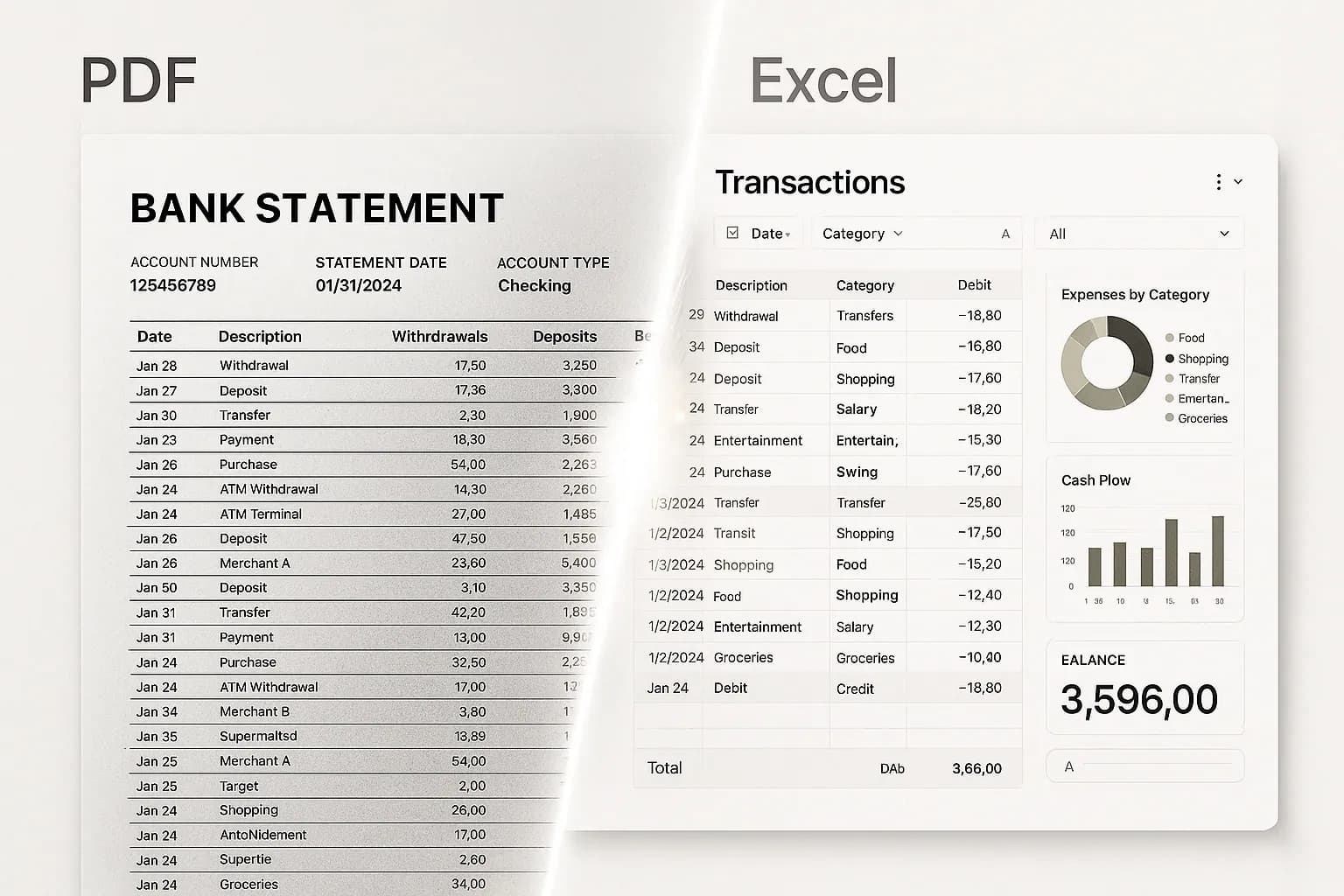
FlowParse is an AI document engine focused on converting financial documents — bank statements, invoices and receipts — into clean, validated, structured data and then into the files accountants actually import. Its centre of gravity is bank-statement accuracy and accounting-software export: read a messy multi-page PDF from any bank, validate that the balances reconcile, let you fix anything in an editable grid, and export native QBO/QFX/OFX, Xero or Excel.
Both deal with financial documents, but they solve different halves of the problem. Hubdoc is about getting documents into one place and into Xero; FlowParse is about turning an arbitrary PDF — especially a bank statement you already hold — into accurate, validated, exportable data regardless of which accounting system you use. If your bottleneck is converting statements rather than collecting bills, FlowParse is the closer fit.
Hubdoc strengths
- Tight, native integration with Xero (and QuickBooks Online)
- Auto-fetches recurring bills and statements from connected sources
- Stores the source document alongside the published transaction
- Familiar to bookkeepers already standardised on Xero
Where teams want something different
- Built around bills/receipts and the Xero ecosystem, not arbitrary statement conversion
- No native QBO/QFX/OFX bank-feed export to hand any accountant
- No deterministic balance-reconciliation gate on extracted statements
- No free no-signup way to convert a statement without an accounting subscription
Why Teams Switch to FlowParse
Convert any statement you hold
Upload a PDF from any bank — no connected source required — and get every row back, validated.
Export to a real bank feed
Native .QBO/.QFX/.OFX with FITID de-dup means re-imports never double-post.
A quality gate you can trust
Balance reconciliation, duplicate detection and a 0–100 score let you auto-accept the clean and review the rest.
Not locked to one ecosystem
Export to QuickBooks, Quicken, Xero, GnuCash, Sage or Excel — your choice, not a single publish target.
Consolidate and reconcile
Merge a year into one Excel and match payments to invoices, out of the box.
Free to evaluate
Run a statement through the whole flow before committing — no subscription, no sales call.
Collection vs conversion
Hubdoc answers 'how do I gather my documents into Xero?' FlowParse answers 'how do I turn this PDF into accurate, exportable data?' — two different jobs.
Collection-first path
- Connect sources / forward emails
- Documents fetched and stored
- Key fields published to Xero
- Statement PDFs largely stored, not parsed
- Locked to one accounting target
FlowParse path
- Upload any statement, invoice or receipt
- AI extracts + validates (balance check)
- Review in an editable grid
- Export native QBO/QFX/OFX/Xero/Excel
- Merge a year or reconcile to invoices
Pricing Comparison
How the cost and commitment models compare.
| Feature | Hubdoc | FlowParse |
|---|---|---|
| Free tier (no signup) | No — bundled with Xero plans | Yes — pages/month free |
| Model | Included in / add-on to Xero | Per page from a balance |
| Needs accounting subscription | Effectively yes (Xero) | No |
| Bank-feed export included | No (publishes to Xero) | Yes (QBO/QFX/OFX) |
| Start without a sales call | Via Xero onboarding | Yes |
Accuracy Comparison
Both platforms use modern AI OCR — here is how extraction quality is assured.
| Feature | Hubdoc | FlowParse |
|---|---|---|
| Bill / receipt fields | Good | Good |
| Multi-page bank statements | Limited parsing | Every row, balance-validated |
| Debit/credit normalisation | N/A | Single signed amount |
| Balance reconciliation check | No | Yes |
| Human review step | Field review in-app | Editable grid + API |
Who should choose Hubdoc?
- Xero-first bookkeeping practices
- Teams wanting bills/receipts auto-fetched and published
- Users who value source-document storage attached to transactions
- Firms already standardised on the Xero ecosystem
Who should choose FlowParse?
- Accountants converting client bank statements from any bank
- Finance teams needing QBO/QFX/Xero-ready exports
- Lenders and analysts pulling transaction data from PDFs
- Anyone wanting a free, no-signup way to convert a statement
Migrating from Hubdoc to FlowParse
Switching takes minutes — there are no templates to rebuild or models to retrain.
Export your documents
Export invoices and statements from Hubdoc or your source.
Upload to FlowParse
Drag and drop PDFs, scans, or images — no setup.
Review extracted data
Check fields in the editable preview before export.
Export Excel or CSV
Download structured data for your accounting system.
Automate workflows
Use the API and integrations for future documents.
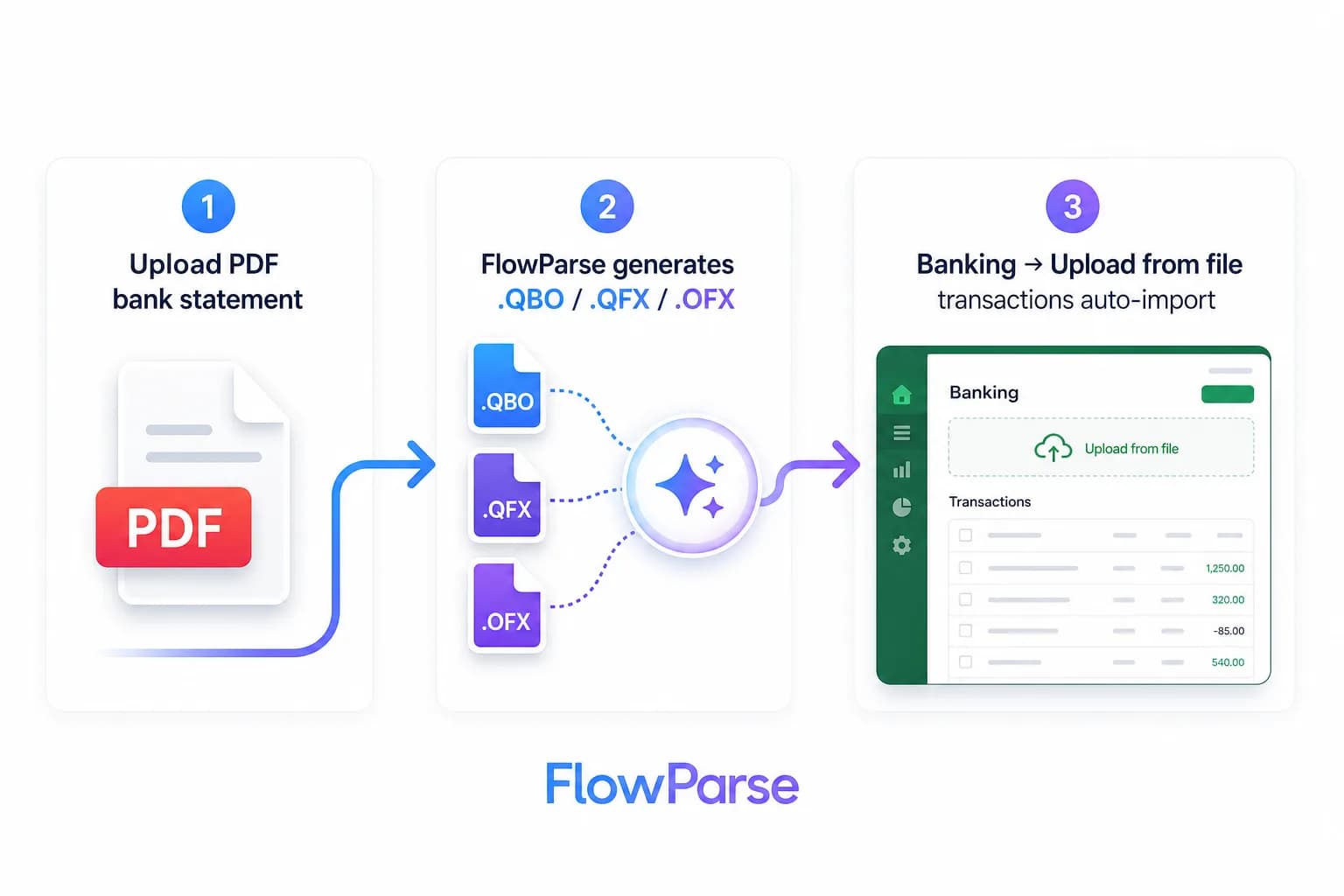
Hubdoc vs FlowParse: collect vs convert
The cleanest way to see the difference is to ask what problem each tool was built to solve. Hubdoc was built to solve document *collection* for Xero users — stop chasing suppliers for bills, stop manually saving statements, let the tool fetch and store them and publish the key fields into Xero. For a practice living in Xero, that automation is genuinely useful and removes a lot of admin.
FlowParse was built to solve document *conversion*: you already have a PDF — often a multi-page bank statement from a bank that doesn't connect to anything — and you need every transaction out of it as accurate, validated data. That heritage shows in the Smart Merge workflow, the validation engine, and native bank-feed export to formats well beyond Xero.
So the deciding question is your bottleneck. If it's gathering bills and receipts into Xero, Hubdoc is purpose-built. If it's turning statement PDFs into clean, importable data — and doing it for any accounting system, not just Xero — that's exactly where FlowParse is strongest.
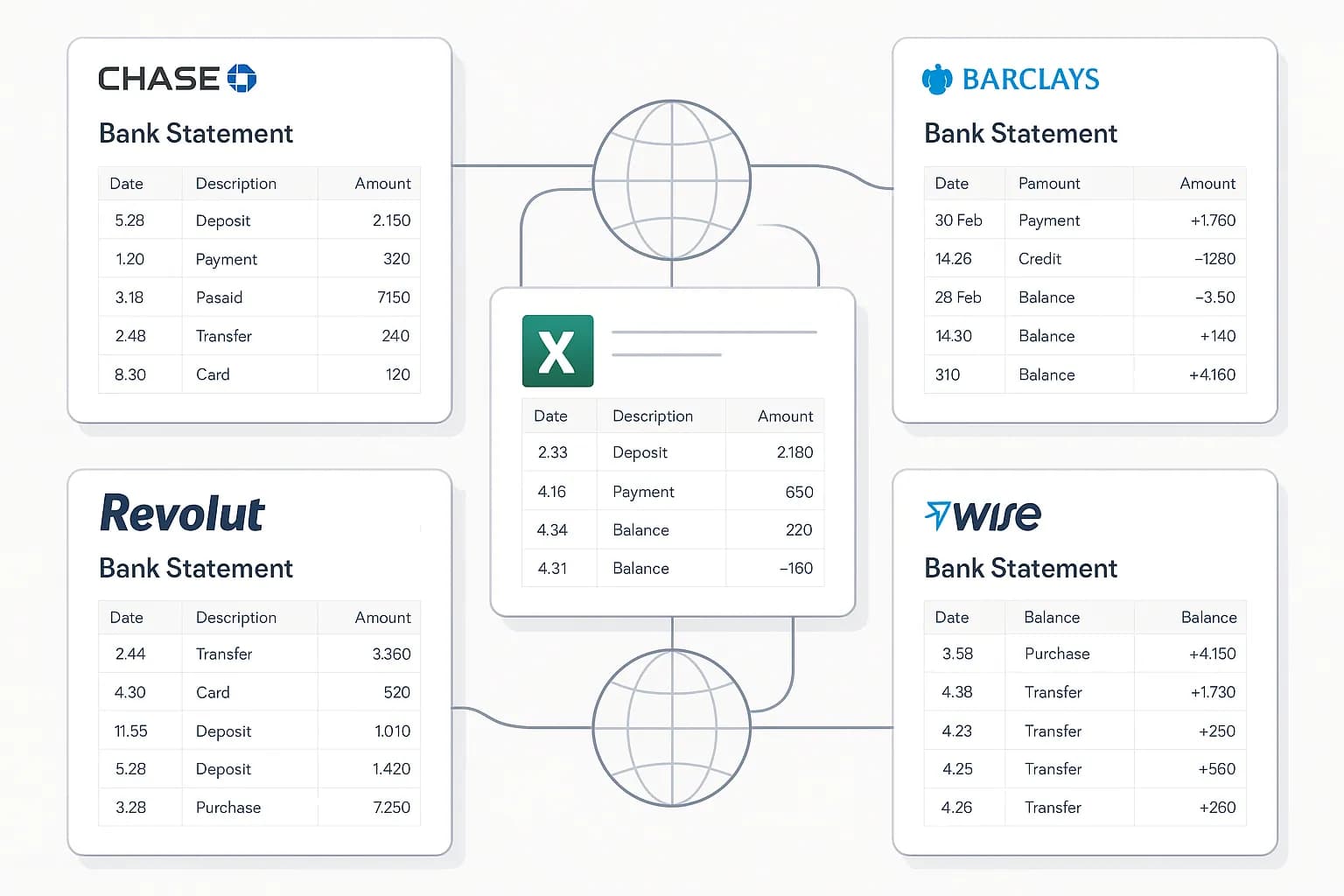
The accounting export gap
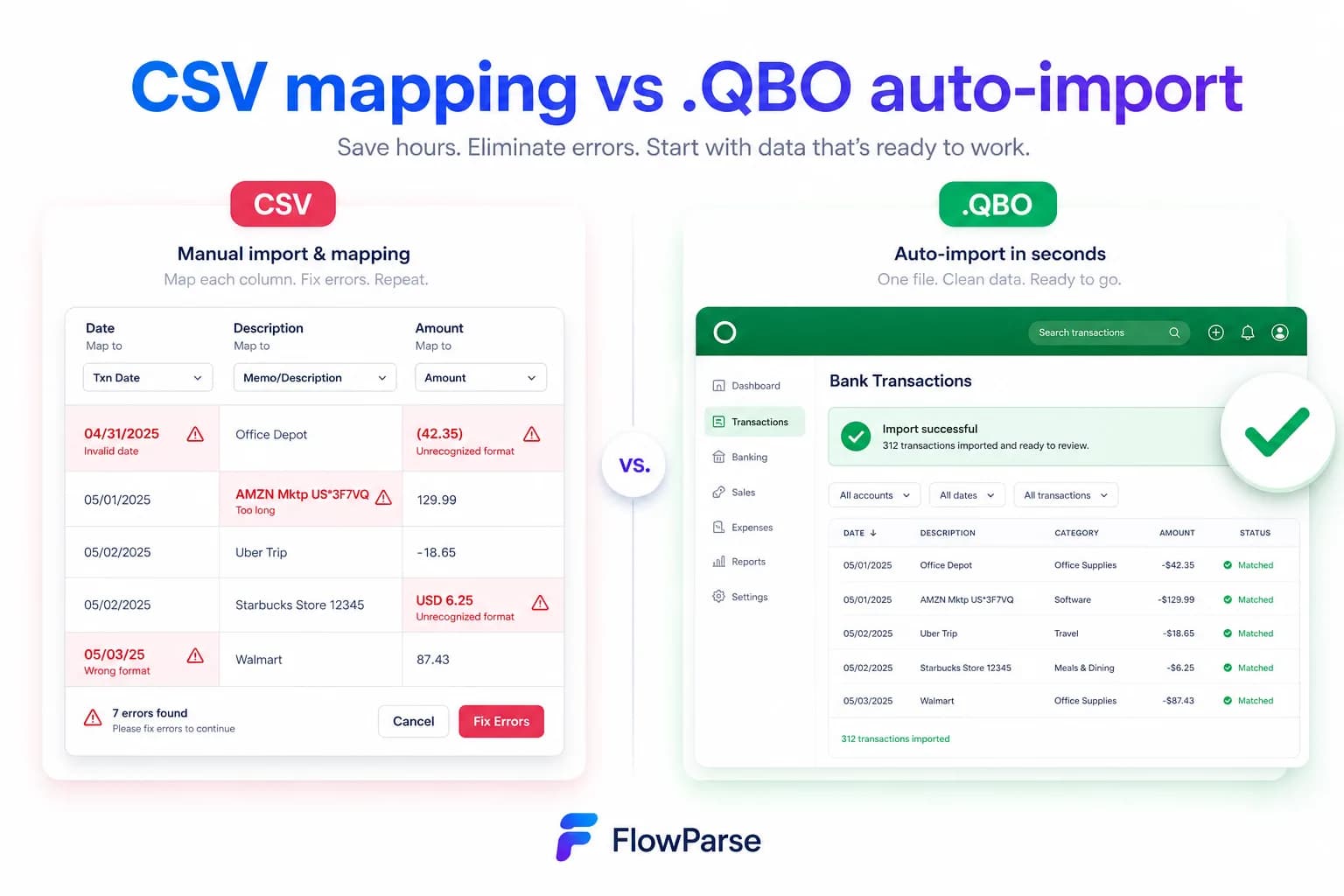
Hubdoc's output is a transaction published into Xero with the source document attached. That's perfect if Xero is your destination — but it isn't a portable accounting file. FlowParse produces real Open Financial Exchange files: `.QBO` and `.QFX` for QuickBooks and Quicken, `.OFX` for tools like GnuCash and Sage, plus a Xero-ready CSV and clean Excel. Each transaction carries a stable `FITID`, which is what stops a re-import double-posting rows you already have.
That matters the moment you work across more than one ledger — a bookkeeper with clients on QuickBooks and Xero, an accountant migrating a client between systems, or anyone who simply wants the data in a spreadsheet. The accounting export feature and the PDF to QBO page show the full format list and import steps.
| Output | Hubdoc | FlowParse |
|---|---|---|
| .QBO / .QFX (QuickBooks/Quicken) | No (publishes to Xero) | Native |
| .OFX (GnuCash, Sage, others) | No | Native |
| Xero | Native publish | Native CSV |
| Excel / CSV | Limited | Native |
| FITID de-duplication | N/A | Built in |
Validation and accuracy you can gate on
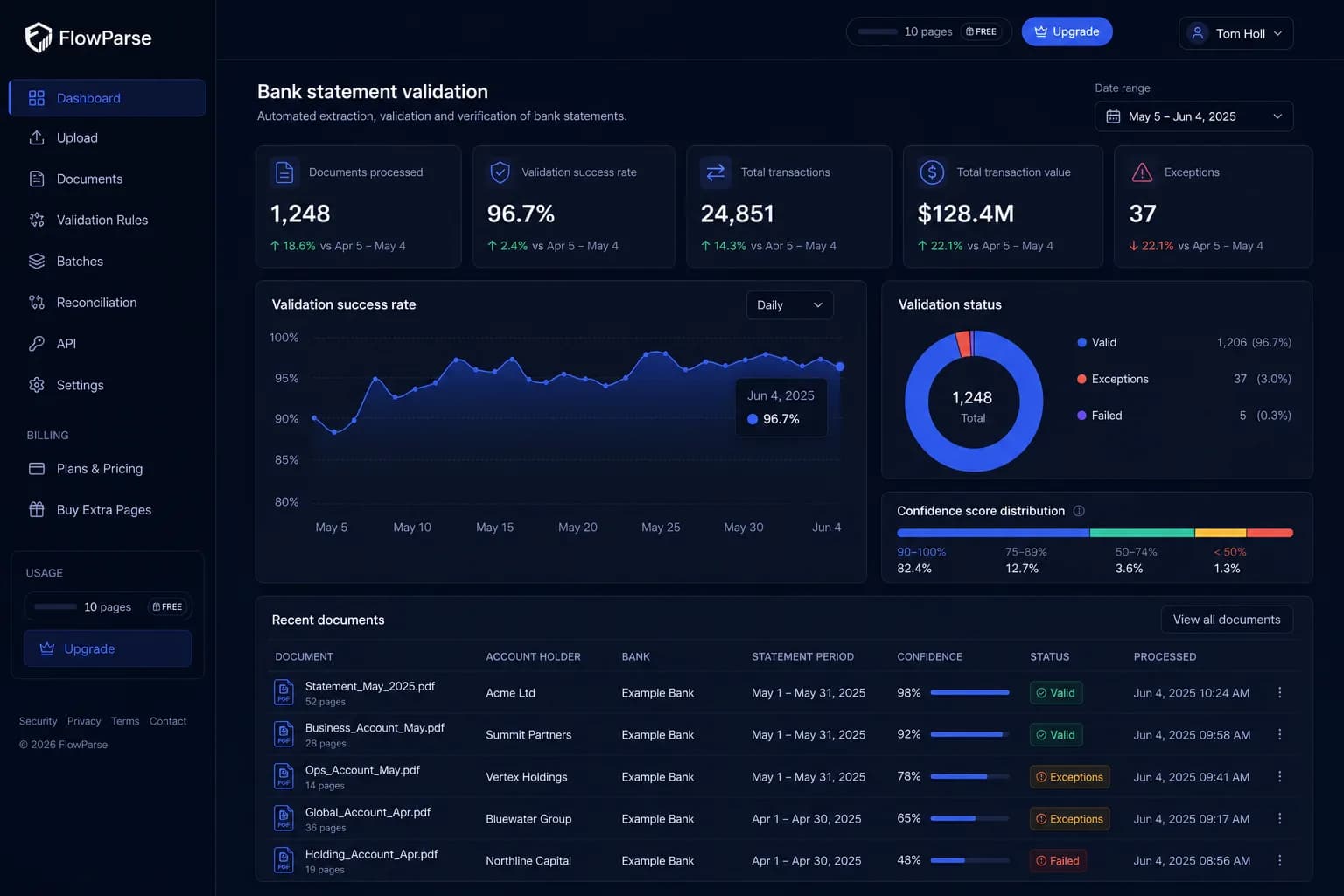
Collection tools store what they fetch; they don't generally prove a statement is internally consistent. FlowParse adds a deterministic layer: a 0–100 quality score with specific, explainable checks. For statements that means a balance-reconciliation test — opening balance plus the sum of transactions must equal the closing balance — which catches a dropped or misread row that storage alone never would.
That difference matters when you automate. With a hard pass/fail check you can confidently auto-accept clean documents and route only the genuinely ambiguous ones to a human, whether you're working in the app's editable preview or gating on the score returned by the validate API. It turns 'we have the document' into 'the numbers provably reconcile'.
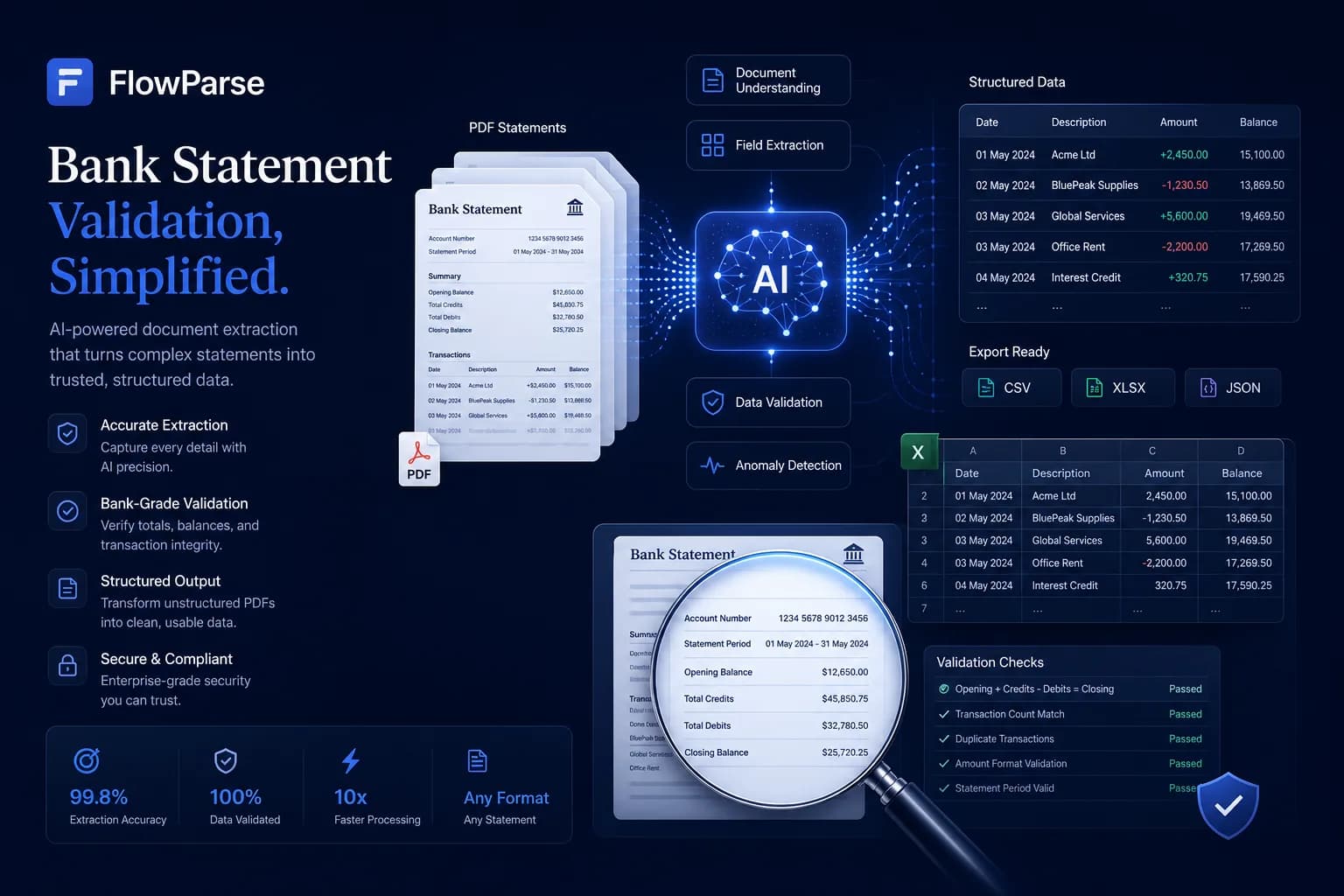
Workflow, not just a publish target
Hubdoc's flow ends at 'published to Xero'. FlowParse gives you a complete browser workflow plus an API, which matters for the people who actually do this work: an accountant can upload a statement, review and fix any row in an editable grid, run reconciliation, and export — without being tied to a single accounting system. A developer can do the same over REST.
That dual nature also lowers the cost of evaluation. Instead of wiring up connected sources to find out whether the data is good enough, you can drop a real statement into the bank statement to Excel tool and see the result in seconds. When you're ready to automate, the same capabilities are available through the bank statement API and document extraction API.
Pricing, privacy and getting started
Hubdoc is effectively consumed through a Xero subscription, so evaluating it usually means being inside that ecosystem. FlowParse pricing is per page drawn from a balance, with a free monthly allowance and no signup required to try it — usage is visible per API key so cost is predictable and attributable, and you don't need any accounting subscription to start. See the pricing page for plans.
On privacy, FlowParse processes in EU data centres, deletes the original PDF immediately after extraction, stores extracted data encrypted, and never trains models on your documents — details on the security page. Getting started is the easiest part: convert a document free in the app, then, when you want to automate, get an API key and follow the guide to parsing bank statements with an API.
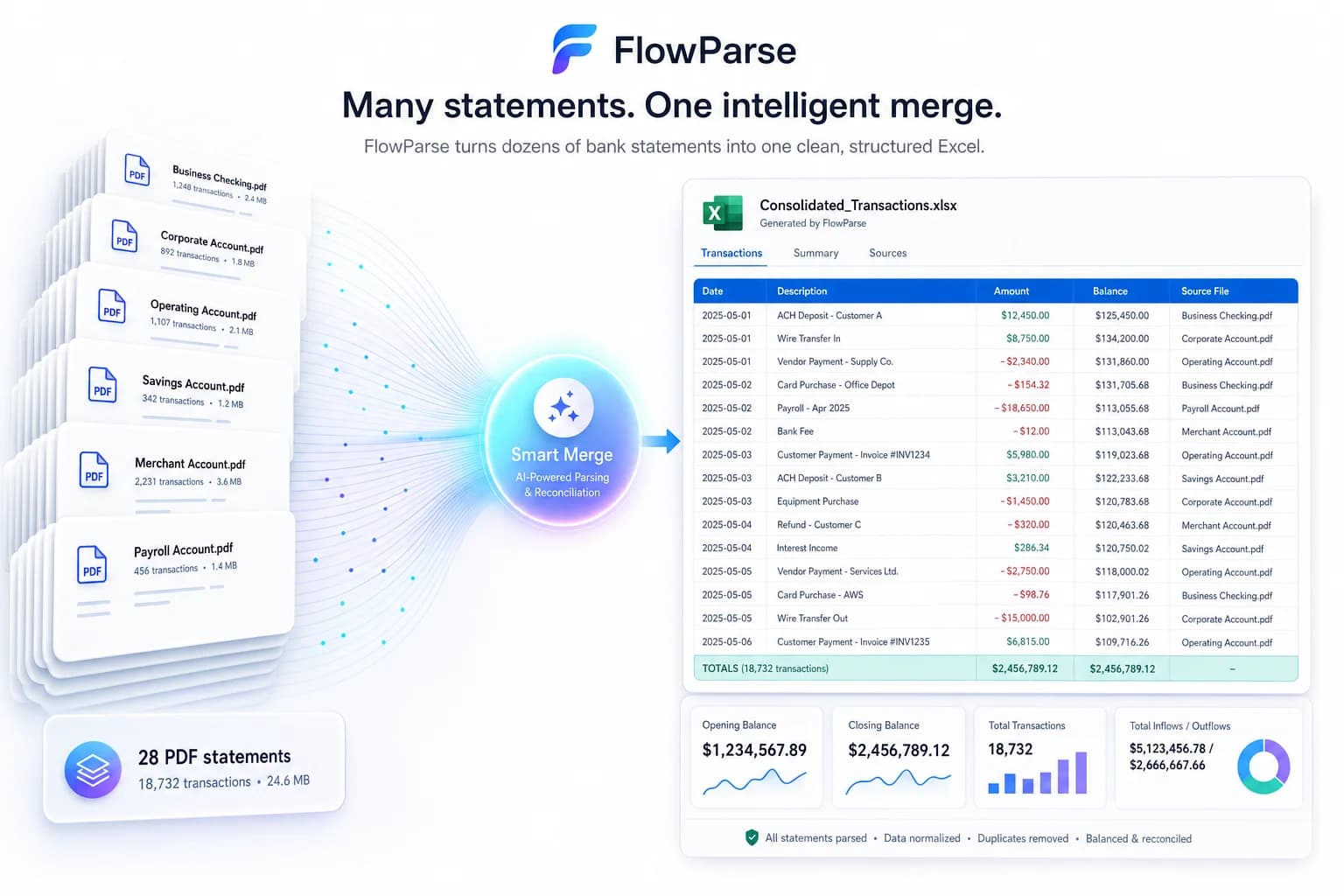
One engine for invoices and receipts too
Choosing a statement-focused converter doesn't mean giving up receipt and bill capture. FlowParse extracts invoices and receipts with full line items, supplier and buyer details, totals and a tax breakdown, and it runs an AI VAT auditor on top to catch tax errors — so the same account that converts your bank statements also handles invoice data extraction and receipt scanning.
Where Hubdoc's strength is pulling those documents into Xero automatically, FlowParse's strength is the back-office conversion pipeline: turn a pile of invoices and statements into validated, reconciled, exportable data that you can send anywhere. Both touch invoices and receipts; the question is whether you also need first-class statement conversion and multi-format export from the same tool. If you do, one engine removes the seams.
Practically, that means an invoice you extract can be reconciled against the bank payment you extracted from a statement — both came from the same API, in the same shape, so matching them is built in rather than a project.
Security, compliance and data residency
Financial-document tools live or die on trust. FlowParse processes documents in EU data centres, deletes the original PDF the moment extraction completes, stores only the extracted data (encrypted), lets you delete it at any time, and never uses your documents to train models — the posture is detailed on the security page. For EU-centric teams that data-residency and deletion default is often a deciding factor.
On access control, each API key is hashed, scoped to your account, request-counted and instantly revocable, and every call is logged with a document label and page cost for a clean audit trail. You decide retention because you control the request: store the fields you need, drop the `raw_table` if you don't, and keep PII out of your logs.
| Aspect | Detail |
|---|---|
| Processing region | EU data centres |
| Original PDF | Deleted after extraction |
| Model training | Never on your documents |
| API keys | Hashed, scoped, revocable, logged |
| Your data | Encrypted; delete anytime; standard-format export |
A real-world scenario: a multi-ledger bookkeeping practice
Picture a bookkeeping practice with clients split across Xero and QuickBooks Online. For the Xero clients, Hubdoc happily auto-fetches bills and publishes them. But a new client arrives mid-year with a shoebox of PDF statements from two banks that don't connect to anything, plus a folder of supplier invoices — and that client is on QuickBooks. Now the collection tool's home-ecosystem advantage doesn't help: the statements still need converting, and the destination is the wrong ledger.
With FlowParse, the practice runs the whole shoebox through one engine regardless of destination. The statements are extracted and balance-validated, then Smart Merge consolidates them into a single reconciled workbook; the invoices are extracted with line items and tax; and everything exports to whatever the client uses — a QBO bank feed here, a Xero CSV there, Excel for review.
Crucially, the validation gate means the junior doing the conversion doesn't eyeball every row: clean documents pass automatically and only the flagged ones get a human glance. The lesson is that an ecosystem-bound collector and a system-agnostic converter solve different problems — and a practice that handles many banks and more than one ledger usually needs the converter.

When Hubdoc and FlowParse work together
It's worth saying plainly that this doesn't have to be an either/or. Hubdoc and FlowParse solve adjacent problems, and many practices run both: Hubdoc keeps doing what it's best at — auto-fetching recurring bills and receipts into Xero with the source attached — while FlowParse handles the document type Hubdoc handles least deeply, the bank statement. The two aren't competing for the same minute of your day; they're covering different stretches of the same pipeline.
The seam between them is clean because FlowParse outputs standard files. A statement you convert exports as a QBO or Xero feed or a clean Excel that drops into the same books Hubdoc is populating, so there's no awkward hand-off and nothing proprietary to reconcile between the two tools. For a Xero-first practice that's happy with Hubdoc's collection but frustrated by statement conversion, adding FlowParse is the lowest-friction way to close that gap.
If you'd rather consolidate onto one tool, FlowParse can also take on the invoices and receipts via invoice extraction and receipt scanning — but you don't have to decide that on day one. The pragmatic path is to point statements at FlowParse first, prove the validation and export are what you needed, and let the rest follow if and when it makes sense.
The deciding lens, in the end, is which problem actually costs you time today. If chasing and collecting recurring bills is the pain, Hubdoc's auto-fetch is hard to beat and worth keeping. If the pain is a pile of statement PDFs that have to be converted accurately and proven complete, that's a different job — and pairing the collector you already have with a purpose-built, validation-first converter solves it without disturbing anything that's already working for you.