A LlamaParse Alternative
Validated Financial Data, Not Markdown For A Model
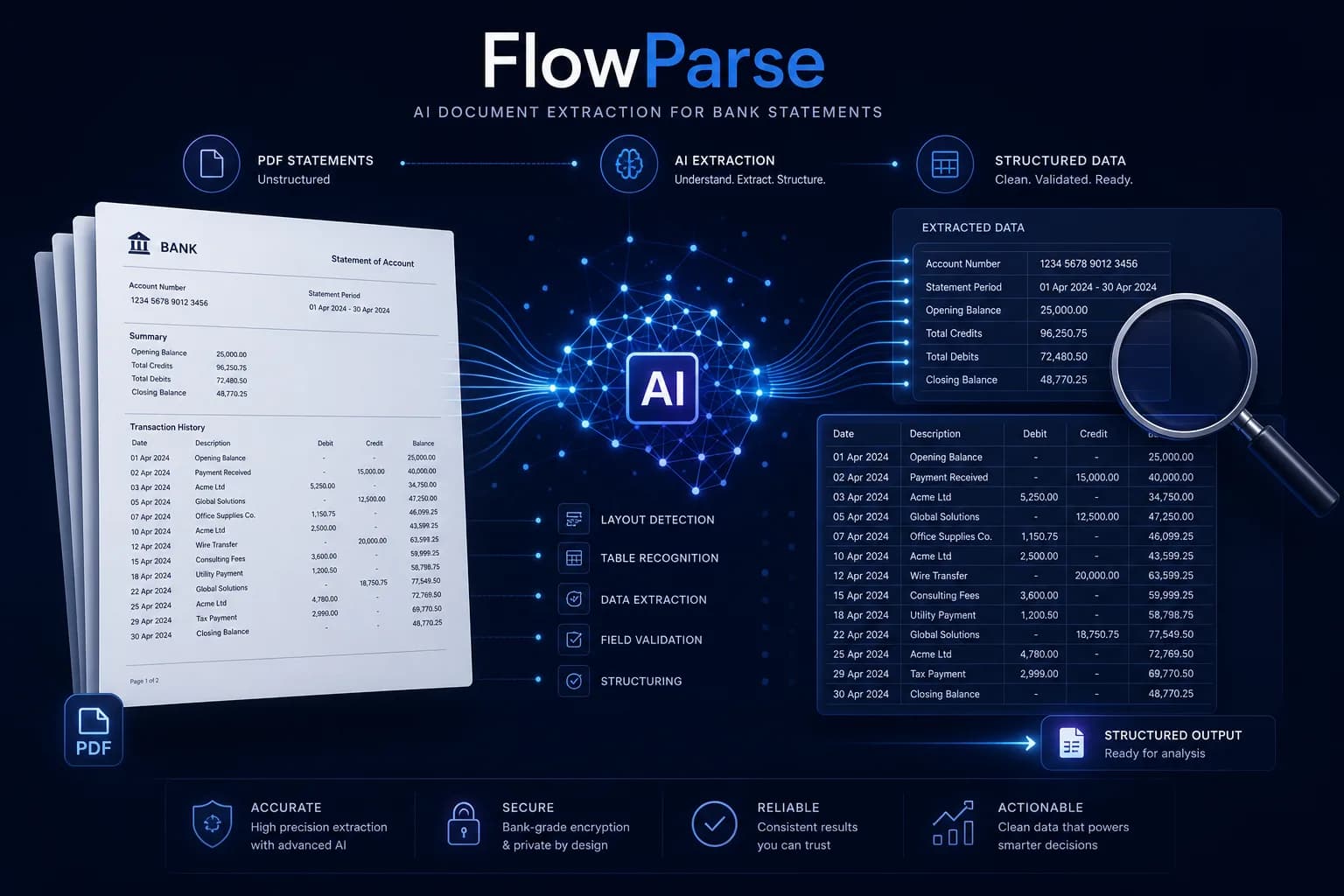
LlamaParse is a document parser built for RAG: it turns complex PDFs — including hard tables — into clean markdown that an LLM can read, and it plugs straight into the LlamaIndex ecosystem. FlowParse is built for the other end: it turns financial PDFs into validated, signed transactions with a balance check and native QBO/QFX/OFX/Xero export, as a self-serve app and an API.
Teams building RAG and LLM pipelines who need documents faithfully rendered into markdown for retrieval, chunking and question-answering — especially inside LlamaIndex.
Teams whose documents are financial and whose output has to be numbers a ledger can import — validated, signed, balance-checked and exportable, not prose for a model.
Why Businesses Look for LlamaParse Alternatives
Numbers, not prose
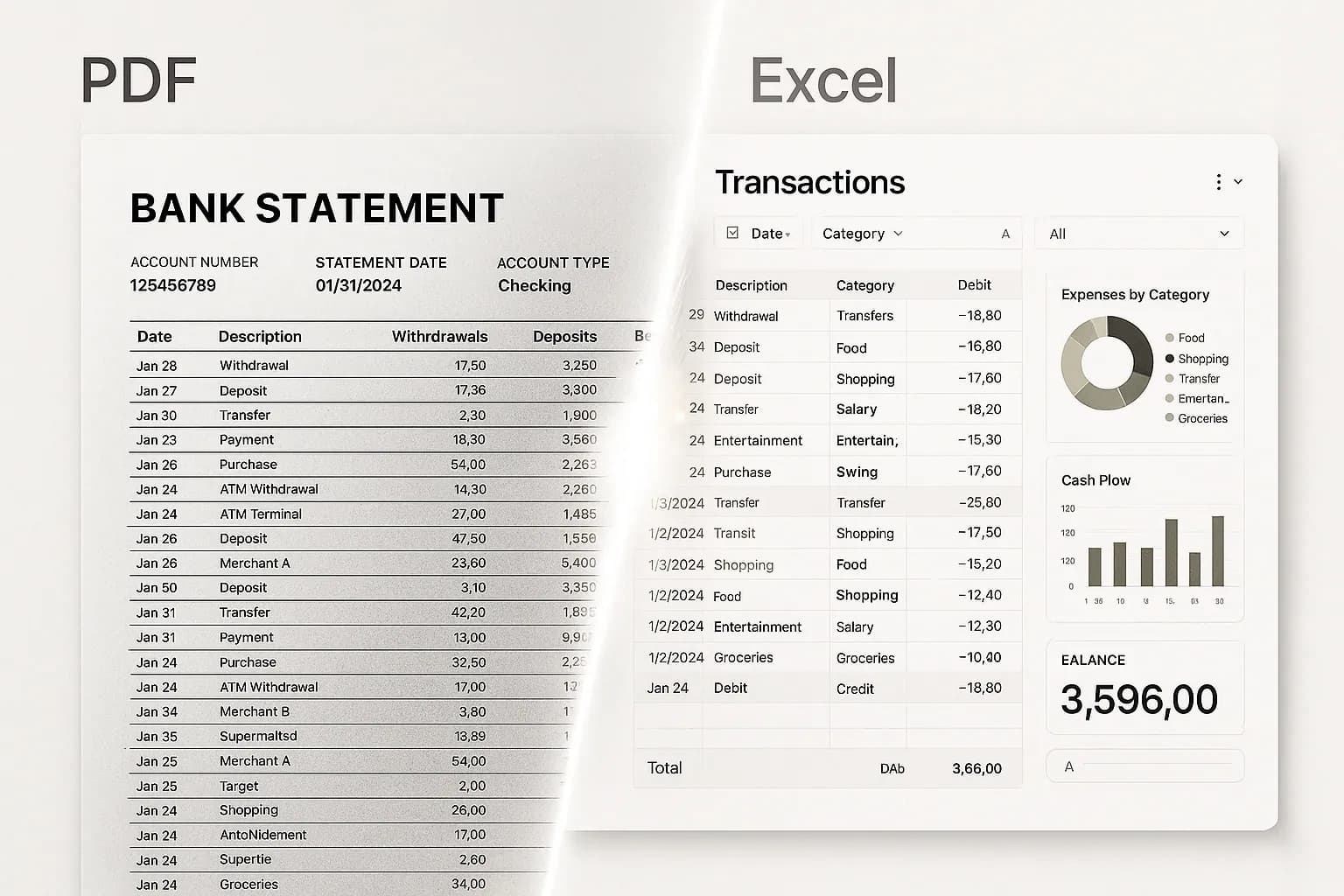
Signed transactions with typed amounts and dates — not a markdown table you still have to parse.
Balance validation in the box
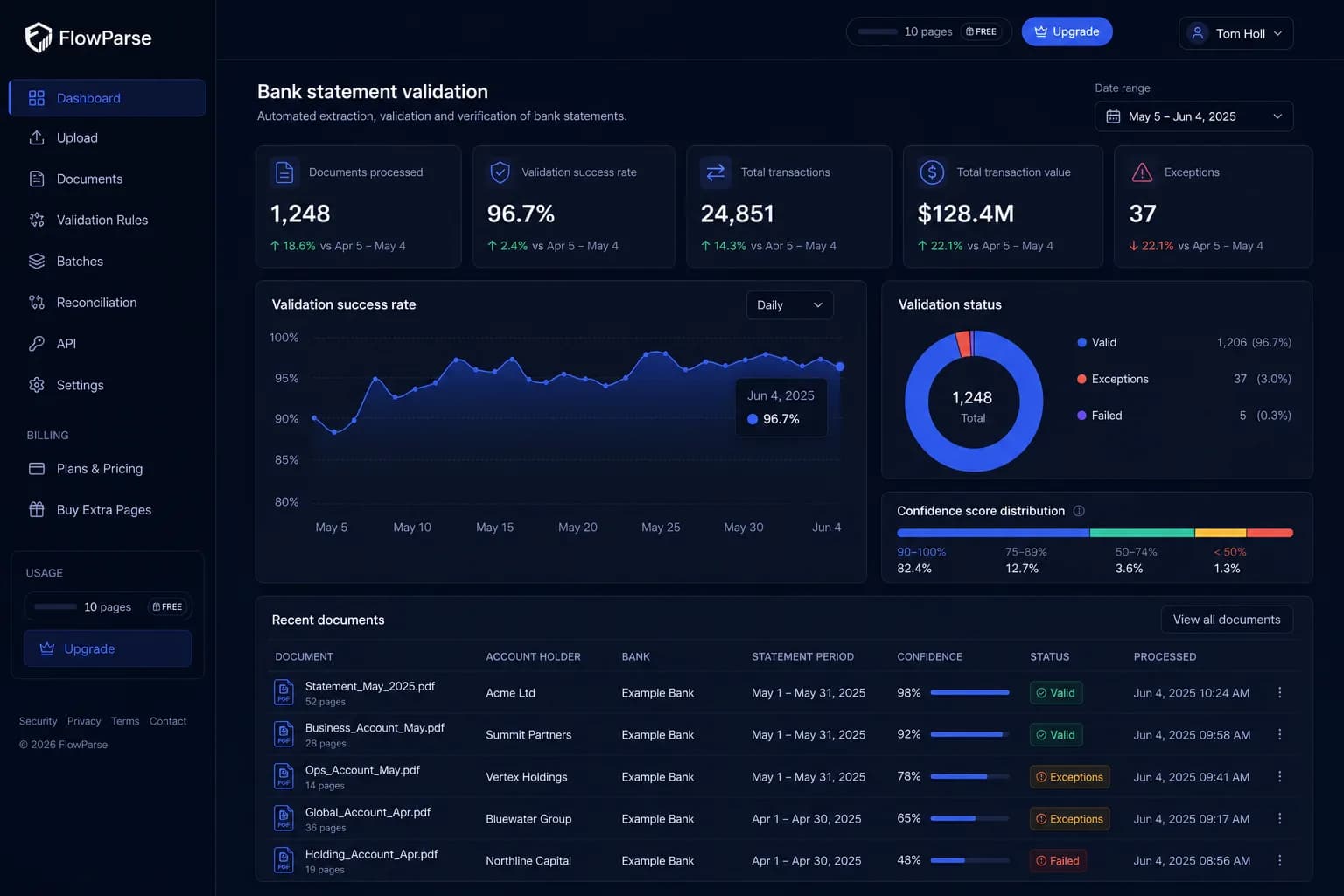
Opening + transactions = closing, checked arithmetically, with a 0-100 quality score.
Accounting-ready export
Native .QBO/.QFX/.OFX and Xero/Excel files — the actual destination of financial data.
An app, not only an API
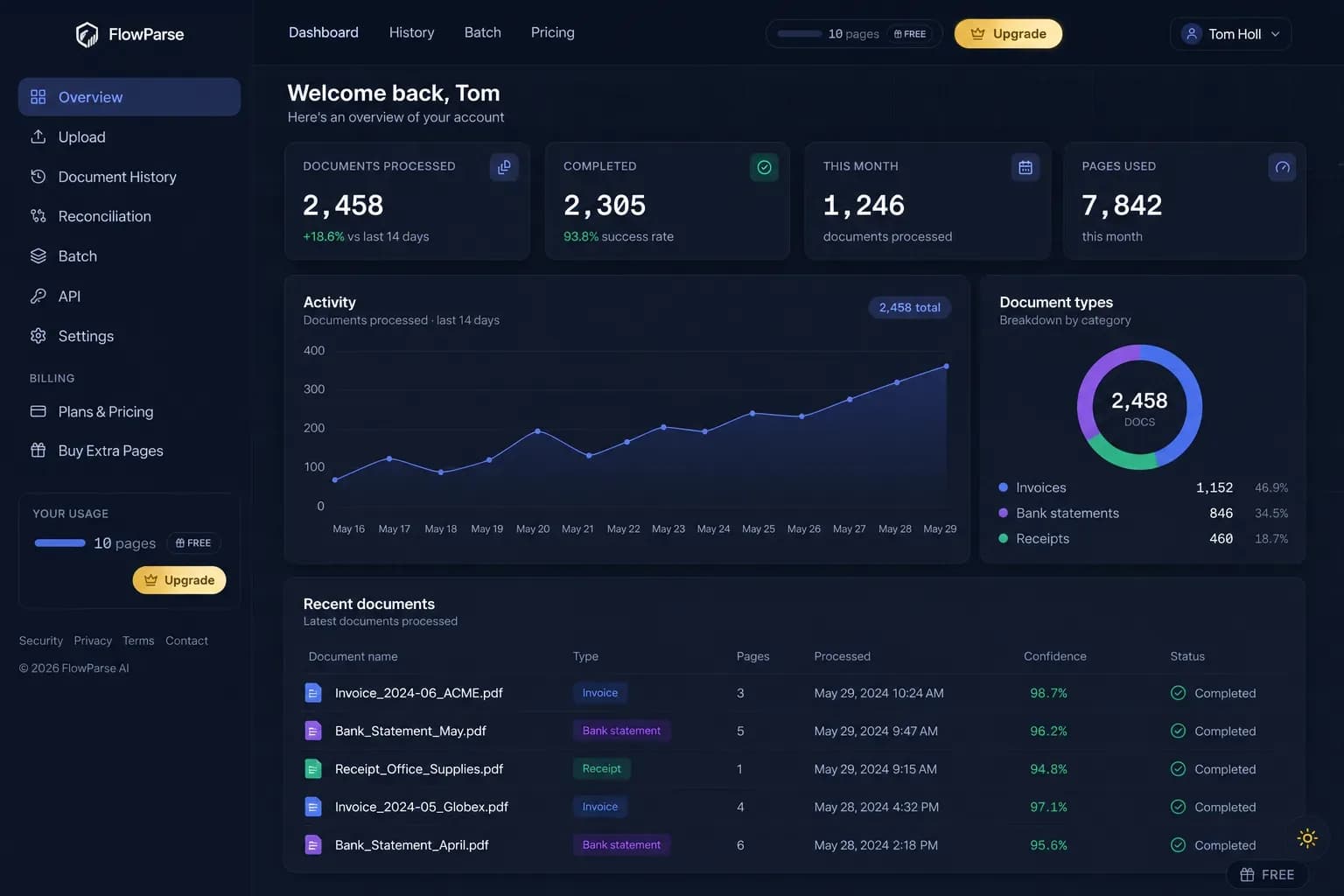
Non-developers convert and review a statement in the browser, no pipeline required.
Consolidation built in
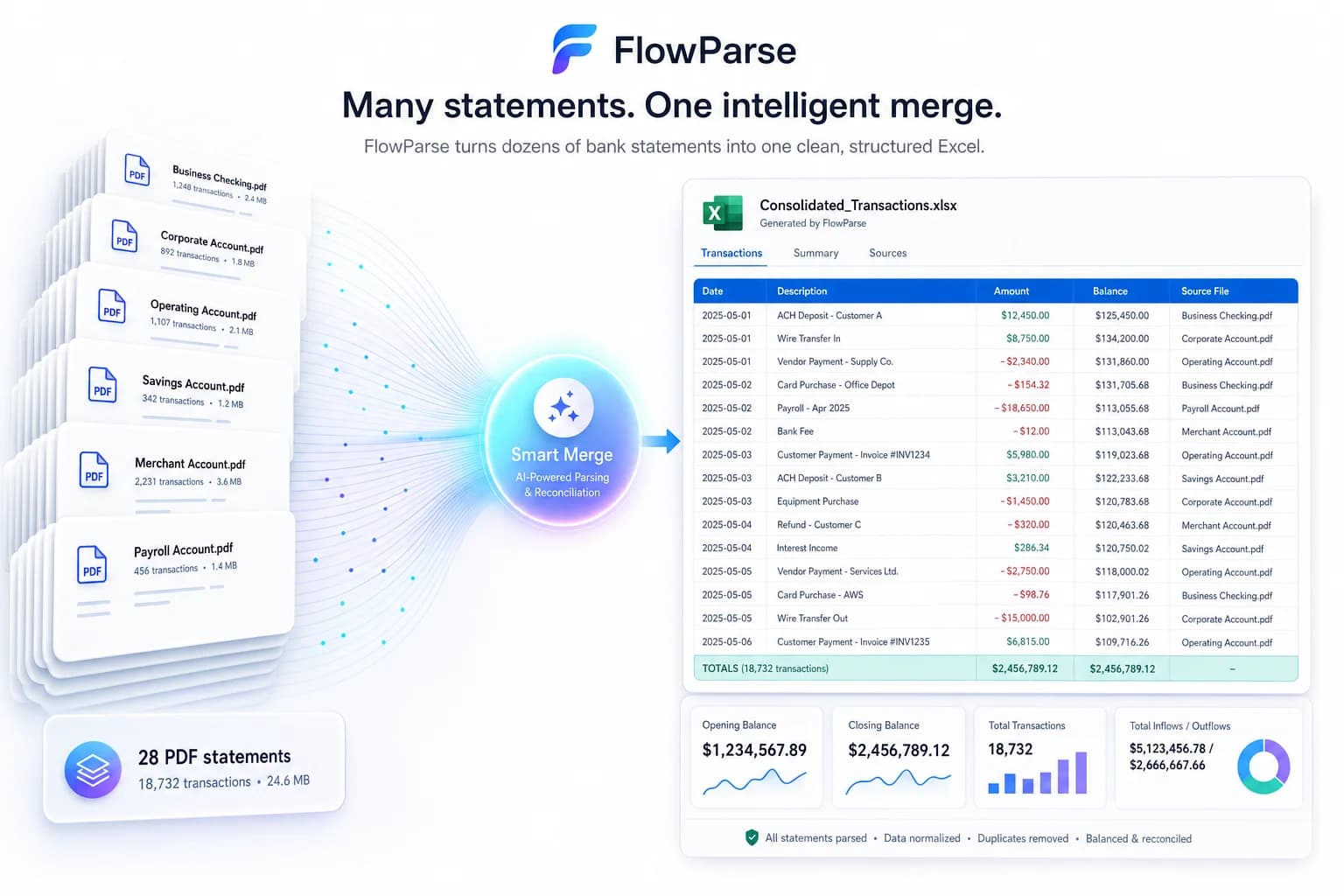
Smart Merge turns a year of PDFs into one reconciled Excel — a workflow, not a parse.
Self-serve and free to start
Run a real statement through the whole flow today, with a free monthly allowance.
Quick Comparison — LlamaParse vs FlowParse
A feature-by-feature look at LlamaParse and FlowParse.
| Feature | LlamaParse | FlowParse |
|---|---|---|
| Complex PDF → clean markdown for an LLM | Yes | Not the goal |
| PDF → typed, signed transaction rows | Markdown you re-parse | Yes |
| Debit/credit → single signed amount | No | Yes |
| Balance reconciliation + quality score | No | Yes |
| Native .QBO / .QFX / .OFX export | No | Yes |
| Xero / Excel / CSV export | No | Yes |
| Smart Merge — 100 PDFs → 1 Excel | No | Yes |
| Self-serve app for non-developers | No | Yes |
| Editable review grid for humans | No | Yes |
| RAG / retrieval pipeline integration | Yes | JSON out, bring your own |
| Any document type | Yes | Financial set only |
| REST API | Yes | Yes |
What Is LlamaParse?
LlamaParse is a parsing service from the LlamaIndex team, and it is built for a specific and increasingly common job: getting a messy PDF into a form a language model can actually read. It renders documents — including the complex, multi-column, table-heavy ones that break naive text extraction — into clean markdown, so that a retrieval pipeline can chunk it, embed it, and answer questions over it. It sits naturally inside the LlamaIndex ecosystem, which is where most of its users already are. For RAG, it is a genuinely good tool, and the table fidelity is the reason people reach for it.
But markdown is the output of a parse, not the output of an accounting process. If you feed a bank statement to LlamaParse you get a faithful markdown rendering of that statement — which is exactly right if your next step is a model reading it, and not much use if your next step is a ledger importing it. A markdown table is still text: the amounts are strings, debits and credits are still in separate columns, dates are in whatever format the bank chose, nothing has confirmed that a row was not dropped at a page break, and no accounting package on earth imports markdown.
FlowParse starts where a financial document is going. It is pre-trained on [bank statements](/bank-statement-converter), [invoices](/invoice-parser) and [receipts](/receipt-scanner), and returns typed, signed transactions — with the [balance check](/features/validation-engine) that proves nothing is missing, an [editable review grid](/features/editable-preview) for the uncertain rows, [Smart Merge](/merge-pdf-to-excel) for a year at a time, and native [accounting export](/features/accounting-software-export). Different destination, different tool: LlamaParse optimises for a model reading the document; FlowParse optimises for the numbers being right and importable.
LlamaParse strengths
- Excellent at rendering complex PDFs and tables into clean markdown
- Purpose-built for RAG and LLM pipelines
- First-class integration with the LlamaIndex ecosystem
- Handles any document type, not just financial ones
Where teams want something different
- Output is markdown for a model — not typed, signed rows for a ledger
- No balance validation, so a dropped transaction looks like clean output
- No debit/credit normalisation, consolidation or accounting export
- API only — no self-serve app, and no review step for a human
Why Teams Switch to FlowParse
Stop re-parsing your parse
Get typed amounts, signed and dated, instead of a markdown table you must interpret again.
Proof, not just fidelity
A balance check tells you the extraction is complete — something a faithful rendering cannot.
Statements to a real bank feed
Export .QBO/.QFX/.OFX (OFX 1.0.2, FITID de-dup) so imports never double-post.
A human review step
Low-confidence values are flagged in an editable grid before anything leaves.
An app for the non-developers
Accountants convert and review in the browser — no pipeline, no code.
Free to evaluate
Run a real statement through the whole flow before committing anything.
Markdown for a model vs numbers for a ledger
LlamaParse renders the document so an LLM can read it. FlowParse resolves the document into numbers your books can use.
LlamaParse path
- Parse the PDF to markdown
- Chunk and embed it
- Ask a model to pull the numbers
- Re-parse strings into amounts
- Hope nothing was dropped
FlowParse path
- Upload, or make one API call
- Typed, signed transactions returned
- Balance check proves completeness
- Editable review for the uncertain rows
- Export native QBO/QFX/OFX/Xero/Excel
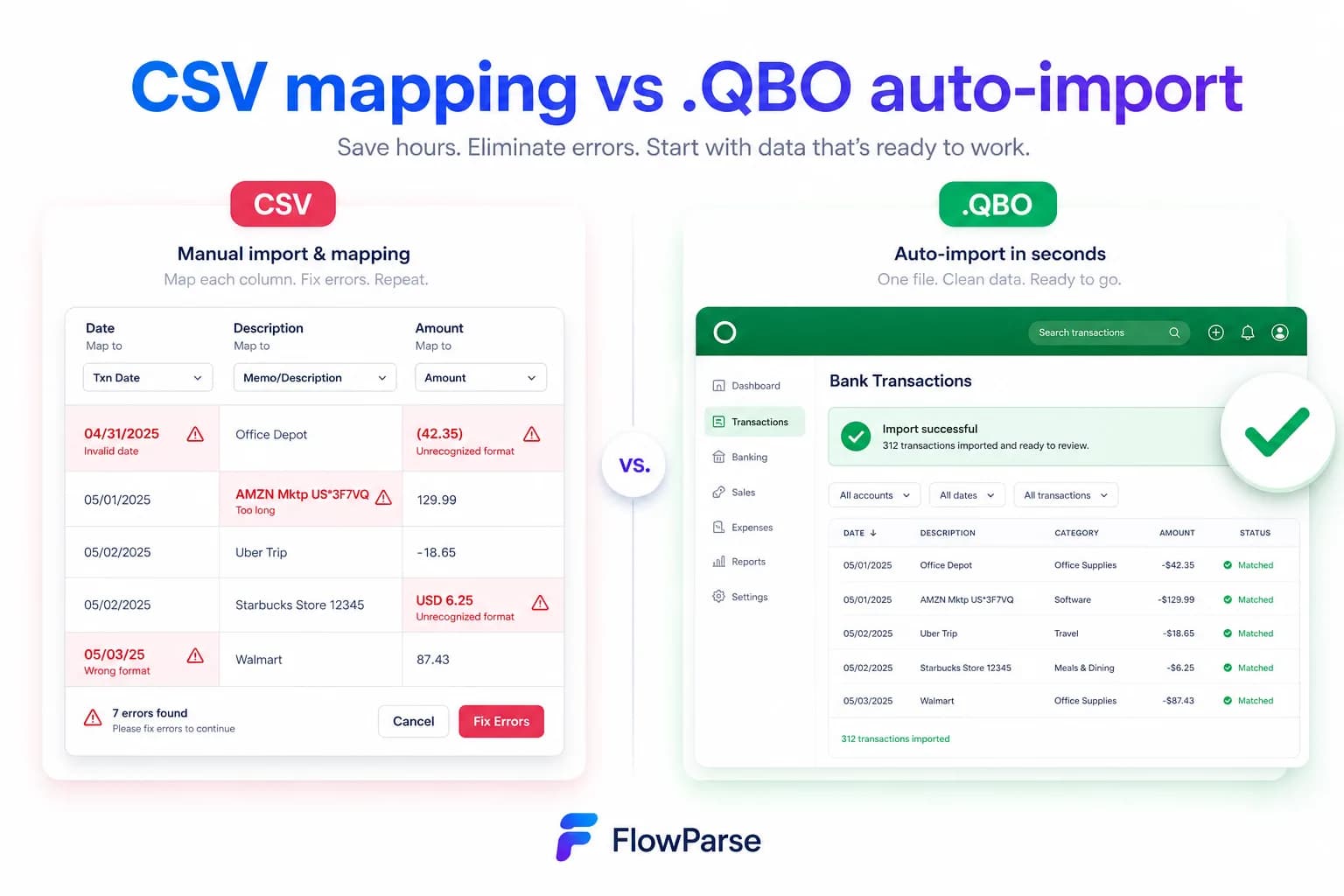
Pricing Comparison
How the cost and commitment models compare.
| Feature | LlamaParse | FlowParse |
|---|---|---|
| Free tier | Free pages/day | Free pages/month + no-signup try |
| Model | Per page parsed | Per page from a balance |
| Self-serve app | No (API/pipeline) | Yes (browser app) |
| Accounting-export files | None | Yes (QBO/QFX/OFX/Xero) |
| Validation included | No | Yes (balance + score) |
| Setup to first result | Build a pipeline | None (app) / one call (API) |
Accuracy Comparison
Both platforms use modern AI OCR — here is how extraction quality is assured.
| Feature | LlamaParse | FlowParse |
|---|---|---|
| Complex table rendering | Strong (markdown) | Strong (typed rows) |
| Bank statement transactions | Markdown text | Every row, balance-validated |
| Debit/credit normalisation | No | Single signed amount |
| Typed amounts and dates | Strings | Typed, signed, normalised |
| Balance reconciliation | No | Built in |
| Human review step | No | Editable grid + API |
Who should choose LlamaParse?
- Teams building RAG or question-answering over documents
- LlamaIndex users who want parsing in the same ecosystem
- Products that need any document type rendered for a model
- Engineers whose output is retrieval, not a ledger entry
Who should choose FlowParse?
- Accountants and finance teams converting statements and invoices
- Developers who need validated financial rows, not markdown
- Teams whose output must import into QuickBooks or Xero
- Anyone wanting a free, self-serve way to convert a document today
Migrating from LlamaParse to FlowParse
Switching takes minutes — there are no templates to rebuild or models to retrain.
Export your documents
Export invoices and statements from LlamaParse or your source.
Upload to FlowParse
Drag and drop PDFs, scans, or images — no setup.
Review extracted data
Check fields in the editable preview before export.
Export Excel or CSV
Download structured data for your accounting system.
Automate workflows
Use the API and integrations for future documents.
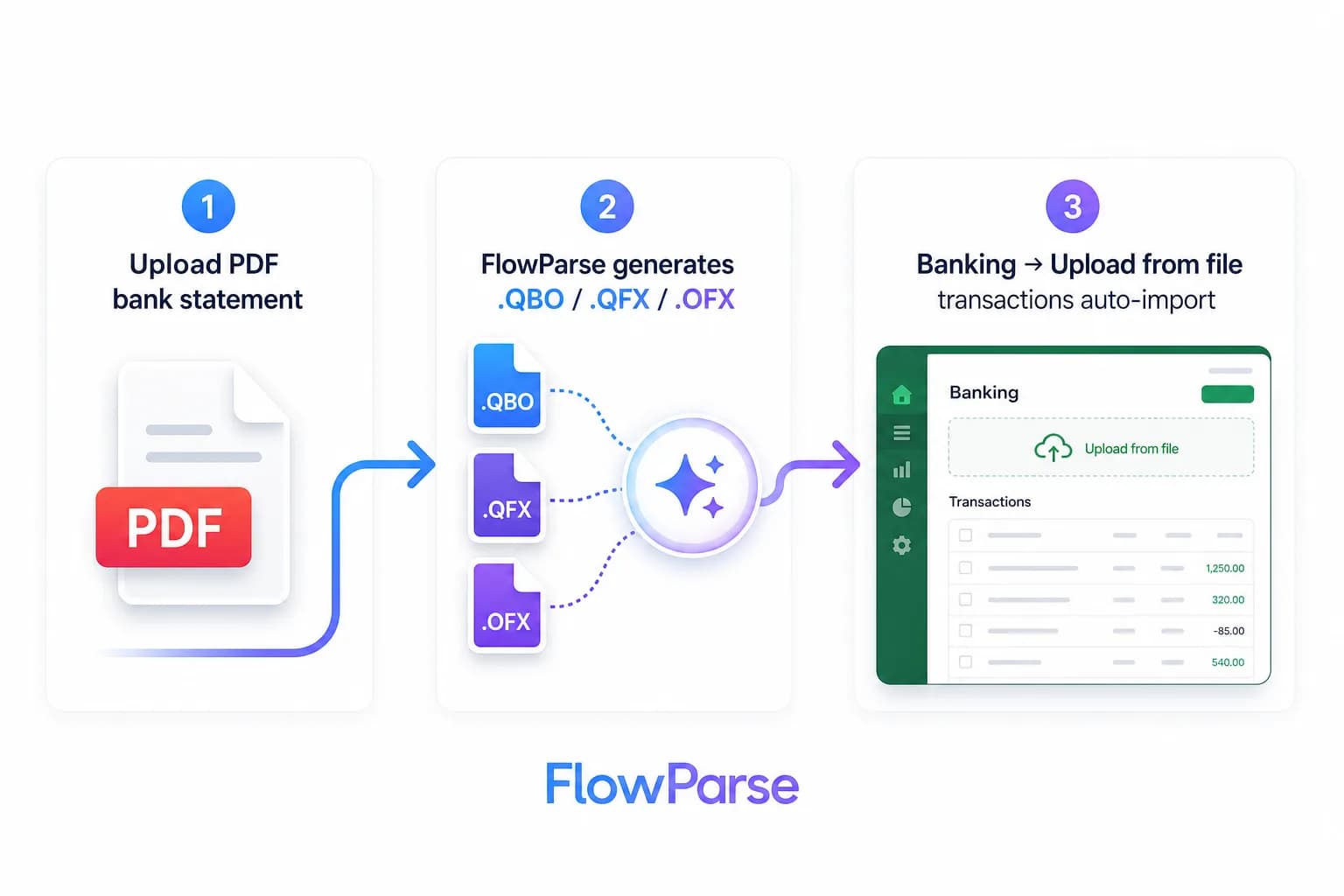
LlamaParse vs FlowParse: two different destinations
This comparison is unusual because the two tools are not really competing for the same job — and pretending otherwise would not help you choose. LlamaParse exists to solve a problem created by language models: PDFs are laid out for human eyes, models want text, and naive extraction turns a two-column report with a table in the middle into scrambled nonsense. LlamaParse renders the document faithfully into markdown — structure preserved, tables intact — so retrieval and question-answering work properly. If your pipeline ends with a model answering a question about a document, that is precisely the tool.
FlowParse exists to solve a problem created by accounting: the numbers have to be right, complete, signed, and importable. Its output is not prose for a model but typed transactions for a ledger — validated against the statement's own closing balance, normalised into signed amounts, reviewable in an editable grid, and exportable as the files accounting software actually imports.
So the question is not which parses better. It is where your data is going. Towards a model that will read it? LlamaParse. Towards a ledger that will import it, an accountant who will file from it, or a lender who will rely on it? FlowParse. A markdown table and a balance-checked transaction list are both correct outputs — of entirely different processes.
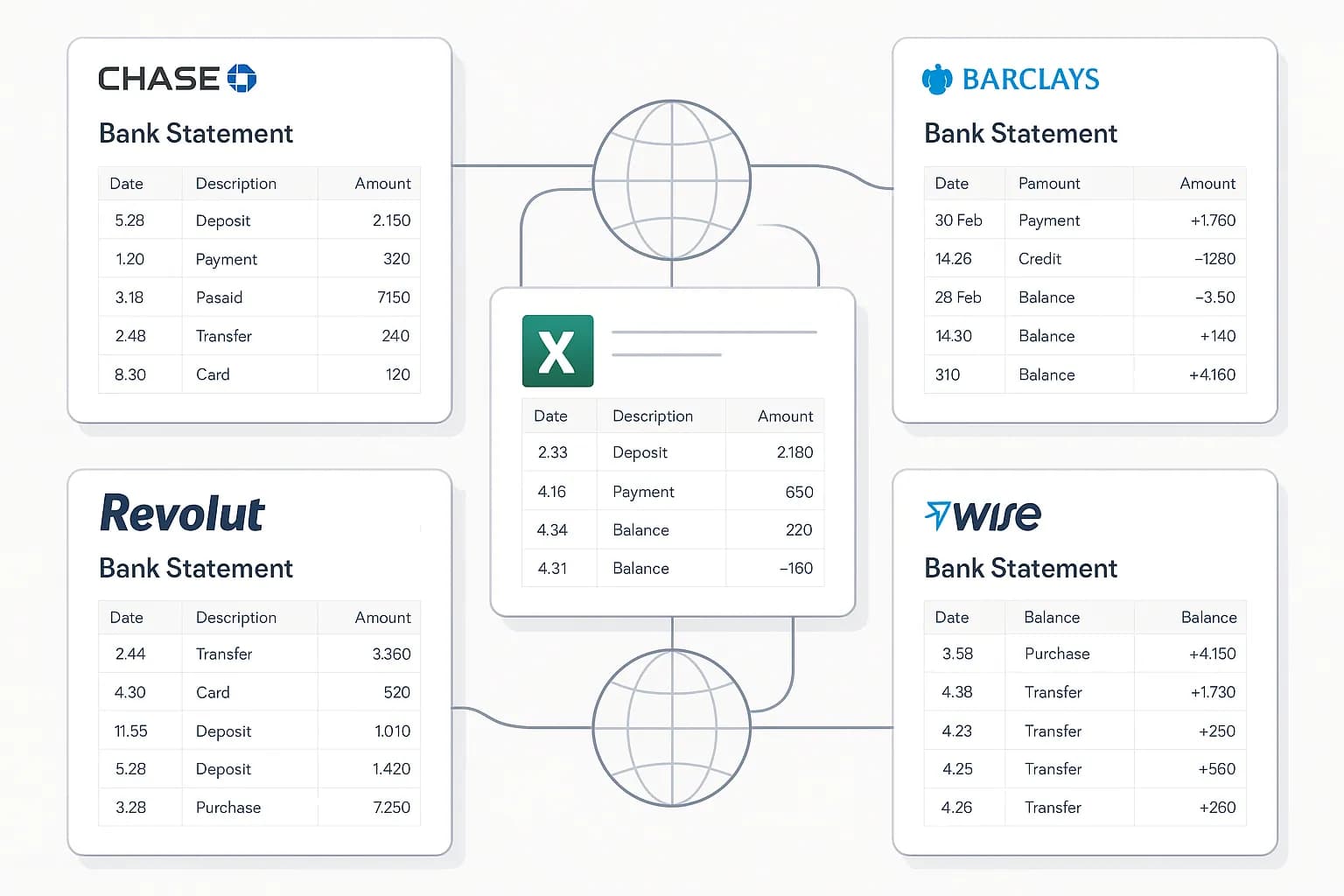
What markdown still leaves you holding
Say LlamaParse renders your bank statement perfectly — every row present, the table structure preserved, nothing scrambled. Now look at what you have. `1,234.56` is a string, not a number, and whether it is positive or negative depends on which column it was in. `03/04/2026` is either March or April depending on which country the bank is in. A description that wrapped over two lines might be two lines. The running balance is just another column of strings. And you have no idea whether the statement is complete.
Every one of those is a small job, and together they are the reason 'we'll just parse it and post-process' turns into a quarter of engineering. Debit/credit columns have to be merged into one signed value. Dates have to be disambiguated per locale. Wrapped descriptions have to be rejoined. Amounts have to be typed. And then somebody has to write the exporter, because QuickBooks does not import markdown.
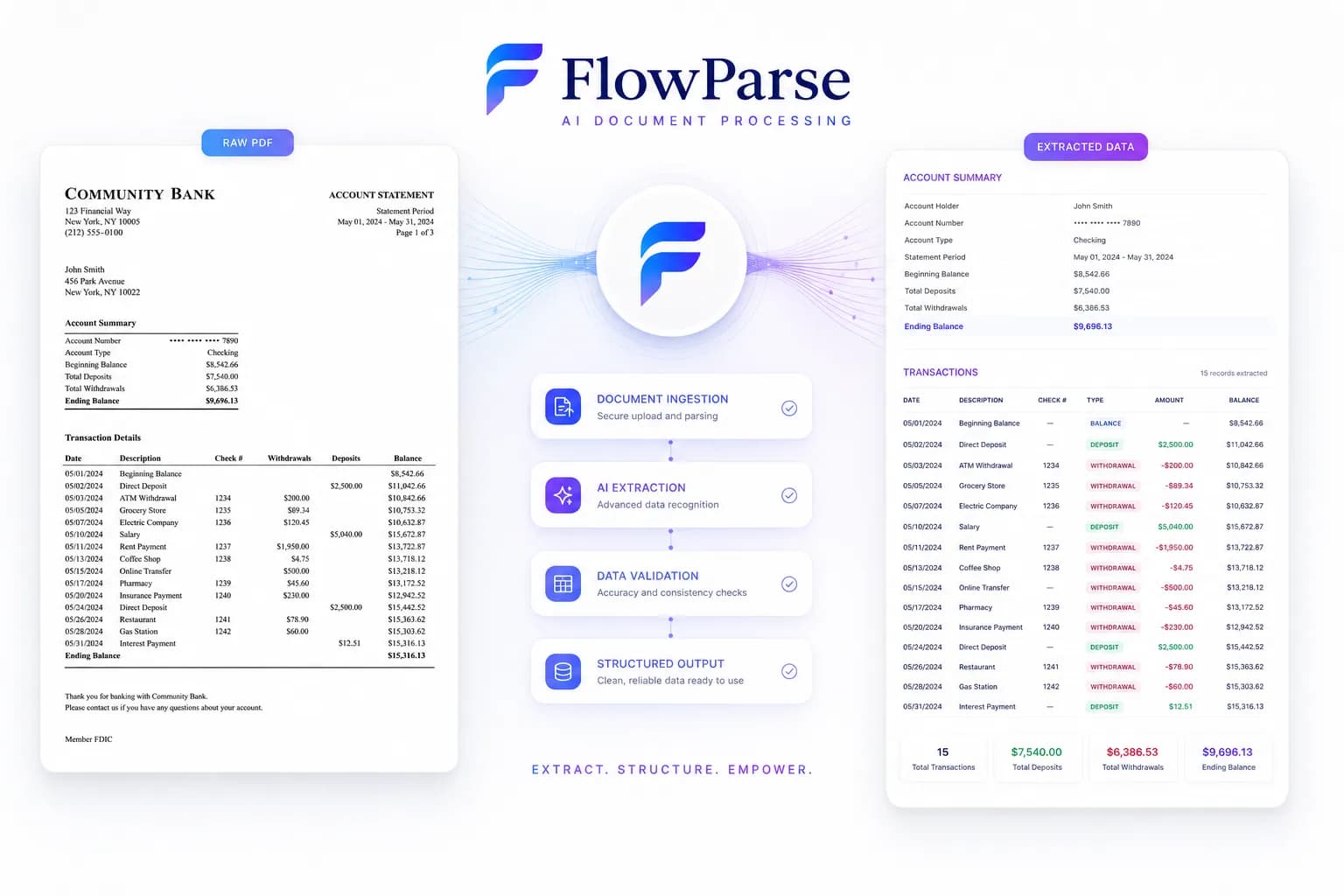
FlowParse hands you the far side of all of it. One upload or one API call returns transactions with typed, signed amounts, normalised dates, rejoined descriptions and a running balance — plus a score telling you whether to trust them. The post-processing is not faster; it is absent.
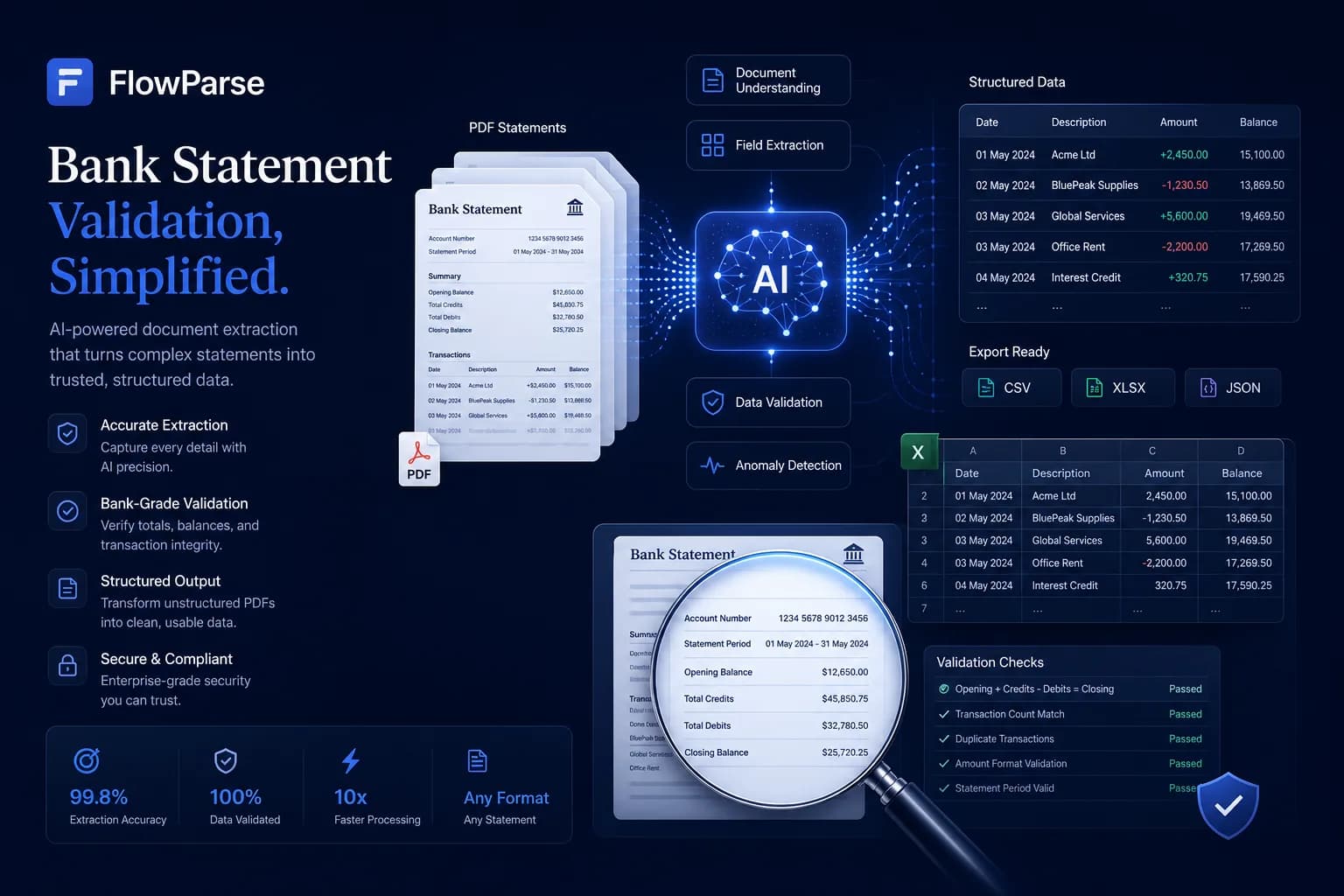
The check a parser cannot perform
Here is the difference that matters most, and it is not about quality of rendering. A parser's job is fidelity: represent what is on the page. Its output can be perfectly faithful and still be missing three transactions, because if a row was dropped at a page break the markdown does not know it. The table looks clean. The structure is right. Nothing announces that money is absent.
FlowParse checks the statement against itself. Opening balance, plus every transaction extracted, must equal the closing balance the bank printed. If it does not, something was missed — and you learn it in the response rather than three months later when a reconciliation refuses to tie out. It is the only check that can prove an extraction wrong with no labelled data and no human involved, which is exactly what you need when nobody knows what the statement should have said.
This is also why 'the LLM read it and the answer looked right' is a weak guarantee for financial data. Plausibility is not arithmetic. Validation returns a 0-100 score you can gate on programmatically, so a bad extraction fails loudly instead of flowing into the books.
| Layer | LlamaParse | FlowParse |
|---|---|---|
| Faithful rendering for an LLM | Yes (markdown) | Not the goal |
| Typed, signed amounts | Strings | Built in |
| Date normalisation | As printed | Normalised |
| Balance validation + score | None | Built in |
| Consolidate many statements | Build it yourself | Smart Merge |
| .QBO/.QFX/.OFX/Xero files | None | Native |
The accounting export gap
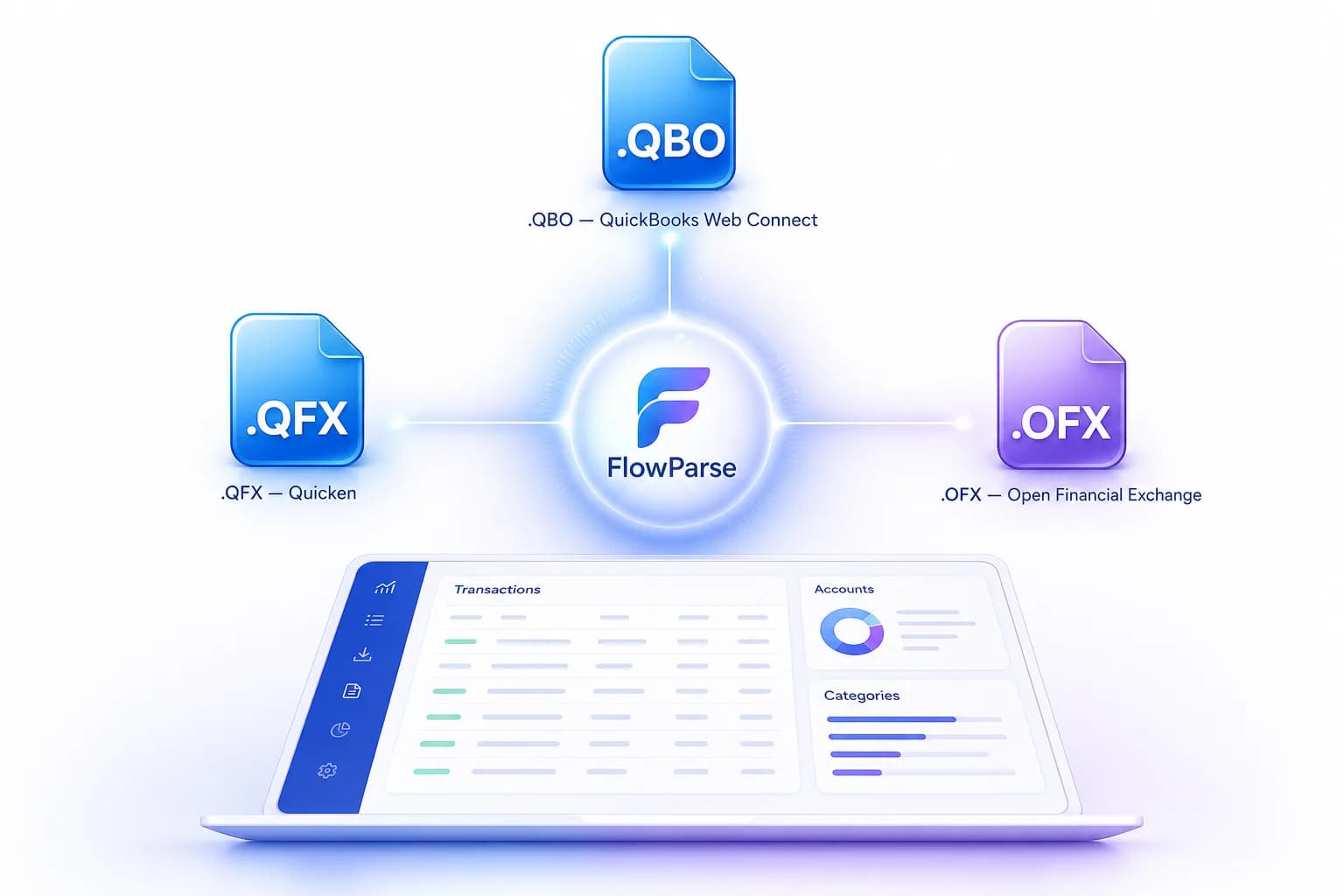
There is no path from markdown to a bank feed that does not go through you. FlowParse produces real Open Financial Exchange files out of the box: `.QBO` and `.QFX` for QuickBooks and Quicken, `.OFX` for tools like GnuCash and Sage, plus a Xero-ready CSV and clean Excel. Each transaction carries a stable `FITID`, which is what stops a re-import double-posting rows the user already has — a detail nobody thinks about until support tickets arrive.
That is engineering you neither write nor maintain as formats evolve. The accounting export feature and the PDF to QBO page list the formats and the exact import steps into each tool.
An app for the people who aren't building a pipeline
LlamaParse is a component in a system a developer is assembling — which is right for its audience, and useless to the accountant who has twelve PDFs and a deadline. They are not going to stand up a pipeline.
FlowParse is both. A non-developer opens the bank statement to Excel tool, uploads, reviews and exports — no code — while a developer automates the same capability over REST, billed per page. The bank statement API and document extraction API cover the programmatic path, with the parsing guide walking through the pattern. One tool serves both instead of forcing everything through an engineer.
A real-world scenario: the RAG pipeline that met a spreadsheet
A pattern worth naming, because it happens constantly. A team builds document Q&A on LlamaParse and it works well — users ask questions about their documents and get good answers. Then finance asks the obvious next question: can we get the transactions out of these statements into the accounting system?
That request looks small and is not. The markdown is right there, so the first attempt is a prompt asking a model to return the rows as JSON. It mostly works, which is the dangerous part: mostly-working financial extraction produces a number that is wrong in a way nobody catches. Then come the tickets — a debit posted as a credit, a date read as April instead of March, a statement whose last page was quietly ignored, and a customer whose imported total does not match their bank.
The fix is not a better prompt; it is a different tool for a different job. Keep LlamaParse where retrieval is the product, and route the financial documents through an engine that returns signed transactions, proves completeness arithmetically, and writes the QBO or Xero file directly. Two tools, two jobs, no heroics.

Where LlamaParse genuinely wins
A fair comparison names where the other tool is simply the right answer, and for LlamaParse that is anything model-shaped. If your job is retrieval-augmented generation, document Q&A, summarisation, or getting a heterogeneous corpus into a vector store, LlamaParse is built for it and FlowParse is not remotely a substitute. We do not chunk, we do not embed, we do not retrieve, and we do not produce markdown. Asking us to feed a RAG pipeline would be using the wrong tool badly.
Its breadth is a real advantage too. LlamaParse will take a contract, a research paper, a slide deck, a manual — whatever your corpus contains — and render it sensibly. FlowParse is pre-trained for the financial set and deliberately not teachable to arbitrary documents; hand it a lease agreement and it has nothing useful to say. And if you already live in LlamaIndex, the ecosystem fit is worth a great deal on its own: fewer moving parts, one mental model, well-trodden patterns.
The honest division is by destination. Documents going to a model: LlamaParse. Financial documents going to a ledger, a return or a lender: FlowParse. Most serious teams end up with both, and that is not a compromise — it is what having two different problems looks like.
Total cost of ownership, not just per-page price
On the meter alone the two look similar — both charge per page. The difference is what each page leaves you holding. A parsed page from LlamaParse is markdown: correct, faithful, and still several engineering steps from a ledger entry. Those steps — typing amounts, signing debits, normalising dates, rejoining wrapped descriptions, validating completeness, consolidating statements, writing exporters, building a review UI — are the real cost, and they need maintaining forever.
A page from FlowParse is a validated transaction list. Validation, consolidation and accounting export ship in the box, the engine is pre-trained so a new bank format just works, and non-developers use it without any UI work from you. See the pricing page — usage is visible per API key, so cost stays predictable and attributable.
None of which makes LlamaParse expensive; it makes the comparison apples-to-oranges. If your output is retrieval, its per-page price is the whole cost and it is money well spent. If your output is financial data, building the post-processing on top of a parse means paying to recreate what a finance-specific engine already includes, app and all.